The Complete Graphics Card Guide 2026: Everything You Need to Know Before You Buy a GPU, Explained Simply
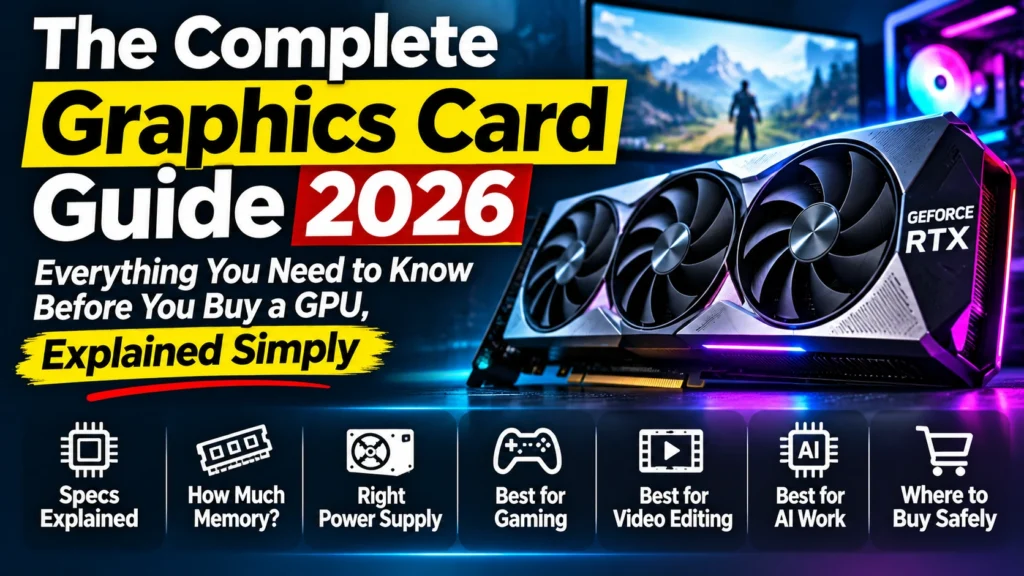
Our graphics card guide for 2026 explains GB, GDDR7, 192-bit, TORX fans and PCIe in plain words, and shows how to choose a GPU for gaming, editing and AI.
Disclosure: This article contains Amazon affiliate links. If you buy through them, we may earn a small commission at no extra cost to you.
Why graphics cards feel so confusing
Open Amazon, search for a graphics card, and you’ll see product titles like this one:
MSI GeForce RTX 5070 12G Shadow 2X OC Graphic Card – NVIDIA GeForce RTX 5070 GPU, 12GB GDDR7 192-bit Memory, 28 Gbps, PCI Express Gen 5 Interface, Upto 2542 MHz, TORX Fan 5.0
If you read that and understood almost nothing, you’re not alone. Most people don’t. Graphics cards are sold with a long string of technical words (memory types, “bit” numbers, clock speeds, fan brand names), and almost nobody explains what any of it means for the person actually buying the card.
That’s a real problem, because graphics cards are expensive. In India in 2026, a good one costs as much as a decent smartphone or more. Buy the wrong one and you either waste money on things you don’t need, or end up with a card that can’t do the job you bought it for.
This graphics card guide is here to fix that. It’s the starting point for a series of 20 simple articles that explain everything about graphics cards in plain language: what each word on the box means, how much memory you need, which power supply to use, which card suits gaming, video editing or AI, and where to buy without getting cheated.
You don’t need to read everything. Use this page as a map: find the topic you’re curious about, read a short summary here, and click through to the full article. Every article in the series links back to this page, so you can always come back and pick what to learn next.
What is a graphics card? (The 60-second version)
Every computer has a processor (CPU). Think of it as a brilliant professor: very smart, able to solve any problem, but working on only a few problems at a time.
A graphics card (GPU) is different. It’s like a classroom of thousands of students. Each student can only do simple sums, but they all work at the same time. That’s exactly what pictures, videos, games and AI need: millions of small calculations done together, every second.
- In a game, the GPU draws every frame you see, 60 to 240 times per second.
- In video editing, it plays your timeline smoothly, applies effects and speeds up exports.
- In AI, it runs the huge number of calculations behind chatbots and image generators.
- When streaming, it encodes your video and can remove your background or the noise from your microphone.
Your processor may have basic graphics built in, which is fine for office work and YouTube. For gaming, editing or AI, you need a dedicated graphics card: a separate card that plugs into your computer.
Three companies make the chips inside graphics cards: NVIDIA (cards called GeForce RTX), AMD (Radeon RX) and Intel (Arc). Brands like ASUS, MSI, Zotac and Gigabyte then build cards around those chips, which is why you’ll see so many versions of the same card on Amazon.
👉 Want the full explanation? Read Article 9: What Is a Graphics Card?
Choose your path
Not sure where to start? Pick the line that sounds most like you and read those articles in that order.
| If you are… | Read these, in order |
|---|---|
| 🛒 “I want to buy a GPU now” | 2 → 1 → 3 → 4 |
| 🎬 “I edit videos” (Premiere Pro, DaVinci Resolve, CapCut) | 5 → 3 → 12 → 15 |
| 🤖 “I want to run AI on my own PC” | 6 → 3 → 13 |
| 🎮 “I play games” | 7 → 20 → 19 |
| 📺 “I stream on Kick or YouTube” | 8 → 4 → 15 |
| 🐣 “I’m a complete beginner” | 9 → 10 → 11 → 1 |
All 20 articles in this graphics card guide
The series is in four parts. Start anywhere: each article stands on its own, and each one links back here.
Part 1: Buying smart
Article 1: Decoding an Amazon GPU Listing, Word by Word We take three real Amazon product titles and explain every single phrase in them: “12GB”, “GDDR7”, “192-bit”, “28 Gbps”, “PCI Express Gen 5”, “Upto 2542 MHz”, “TORX Fan 5.0”, “IceStorm 2.0” and more. We also show the parts of the page that matter more than the title: who is actually selling the card, fake “MRP” discounts, and “non-returnable” warnings. Read this if: you have an Amazon listing open right now and don’t understand it.
Article 2: GPU Buying Guide India 2026: The 20 Best Graphics Cards, Fair Prices and Where to Buy The 20 best graphics cards of 2026, ranked from most to least powerful, with who each one is for. It explains why prices in India are so high this year, whether you should wait, where to buy (online and in markets like Nehru Place and Lamington Road), how to avoid overpriced resellers, and a checklist to make sure the card fits your PC. Read this if: you’re ready to buy and want to know which card and at what price.
Article 3: How Much VRAM Do You Need in 2026? 8GB vs 12GB vs 16GB for Gaming, Editing and AI “GB” on a graphics card is its own private memory (VRAM). This article explains what fills it, what happens when it runs out, and exactly how much you need for gaming, video editing and AI. It also explains why a 16 GB card isn’t always faster than a 12 GB one. Read this if: you’re choosing between 8 GB, 12 GB and 16 GB.
Article 4: Power Supply for Your Graphics Card: How Many Watts You Need How much electricity a graphics card uses, what size power supply (PSU) you need, how to check the one you already have, what “80 PLUS Gold” means, and how to connect the new 16-pin power cable safely. Read this if: you’re upgrading an existing PC and don’t know whether your power supply can handle a new card.
Part 2: Which GPU for what
Article 5: Best Graphics Card for Video Editing in 2026 What the graphics card actually does in Premiere Pro, DaVinci Resolve and CapCut, why NVIDIA’s video engine (NVENC) and AV1 matter, how much memory you need for 1080p and 4K timelines, and the best cards at each budget. Read this if: you’re a YouTuber or editor and want faster exports and smoother playback.
Article 6: Best GPU for AI in 2026: Run Chatbots and Image Generators on Your Own PC How to run ChatGPT-style chatbots and image generators on your own computer (with tools like Ollama), why memory matters more than speed for AI, how big a model fits on 8, 12, 16 or 32 GB, and which cards to choose. Read this if: you want to use AI privately on your own PC.
Article 7: Best Graphics Card for Gaming in 2026: Picks for 1080p, 1440p and 4K How to match your graphics card to your monitor (1080p, 1440p or 4K), what popular games like Valorant and GTA V actually need, what a “bottleneck” is, and the best picks at budget, mid-range and high-end prices. Read this if: you mainly want to play games smoothly.
Article 8: Best GPU for Streaming in 2026: OBS, NVIDIA Broadcast and Kick or YouTube Without Lag Why streams lag, how OBS and NVIDIA Broadcast use your graphics card, a real example of an older card struggling at 90%+ load, easy fixes to try before you upgrade, and the best cards for streamers. Read this if: you stream on Kick, YouTube or Twitch, or use background removal on your webcam.
Part 3: The basics
Article 9: What Is a Graphics Card? A Simple Guide for Desktop PC Buyers The professor-and-classroom idea in full: how a GPU differs from a processor, why images, video and AI need “many small sums at once”, and when you need a dedicated card at all. Read this if: you’re completely new to PCs.
Article 10: Parts of a Graphics Card Explained: What You’re Actually Paying For A simple tour of what you’re paying for: the chip, the memory, the circuit board and power delivery, the cooler and fans, the power connector, the display ports, and the gold “teeth” that plug into your motherboard. Read this if: you want to understand why two cards with the same chip cost different amounts.
Article 11: How to Read GPU Names: RTX 5070 Ti, SUPER, XT, OC and Every Brand Line-Up What the numbers and letters mean (RTX, 50, 70, Ti, SUPER, XT), why there are fifteen different “RTX 5070s” on Amazon, how ASUS, MSI, Zotac and Gigabyte models compare, and what “Founders Edition” means. Read this if: the names all look the same to you.
Part 4: Deep dives, one term at a time
Article 12: GDDR7 vs GDDR6 Explained: What the Memory Type and “28 Gbps” Mean The different generations of graphics memory, what “28 Gbps” means, which cards use which type, and why the newest memory (GDDR7) is a big reason prices went up in 2026. Read this if: you’ve seen “GDDR7” on a box and wondered whether it matters.
Article 13: Memory Bus Width Explained: What 128-bit, 192-bit and 256-bit Mean The “highway” explanation of bus width and bandwidth, a simple formula anyone can use, and why a 16 GB card on a narrow 128-bit “road” can be slower than a 12 GB card on a wider 192-bit one. Read this if: you don’t know what “192-bit memory” means.
Article 14: GPU Clock Speed and OC Edition Explained: Is “Upto 2610 MHz” Worth Paying Extra For? What MHz measures, why “Upto” is a best case and not a promise, how much faster an “OC Edition” really is (usually only a few percent), and why you can’t compare MHz between different cards. Read this if: you’re deciding whether to pay extra for an OC model.
Article 15: CUDA Cores, Tensor Cores and RT Cores Explained: The Workers Inside Your Graphics Card The different kinds of “workers” inside a GPU: general cores, ray-tracing cores for realistic lighting, AI cores for features like DLSS and background removal, and the video engines that make streaming and exports fast. Read this if: you keep seeing “cores” mentioned and want to know which ones matter for you.
Article 16: Two Fans or Three? GPU Cooling, Card Size and Slots Explained (and Will It Fit?) Why graphics cards get hot, why heat makes them slower, what heatpipes and vapor chambers are, whether three fans beat two, what “2.5-slot” means, and how to measure your cabinet so the card actually fits. Read this if: you’re comparing a two-fan and a three-fan version of the same card.
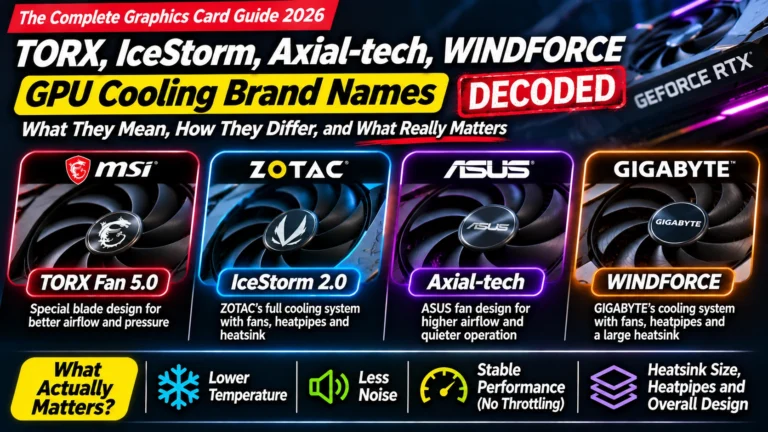
Article 17: TORX Fan, IceStorm, Axial-tech, WINDFORCE: GPU Cooling Brand Names Decoded What MSI’s TORX Fan and TRI FROZR, Zotac’s IceStorm, ASUS’s Axial-tech and Gigabyte’s WINDFORCE actually are, how much is real engineering and how much is marketing, and what to compare instead. Read this if: you’ve wondered what a “TORX Fan 5.0” is.
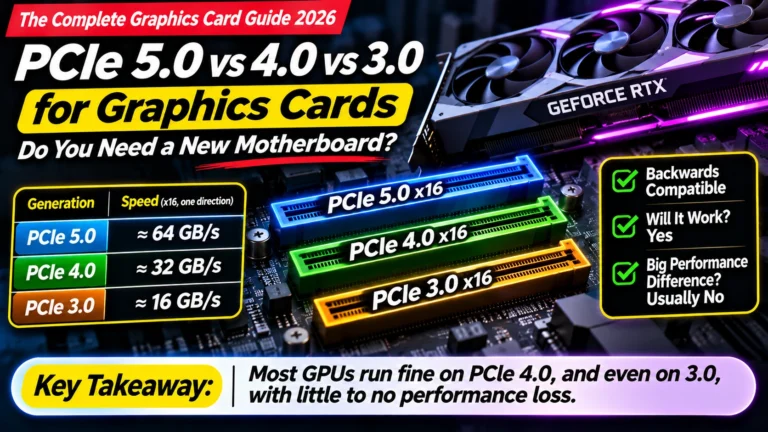
Article 18: PCIe 5.0 vs 4.0 vs 3.0 for Graphics Cards: Do You Need a New Motherboard? What “PCI Express Gen 5 Interface” means, why a new card works in an older motherboard, how much speed you really lose (usually very little), and why “Gen 6” doesn’t matter for home PCs yet. Read this if: you’re worried you need a new motherboard.
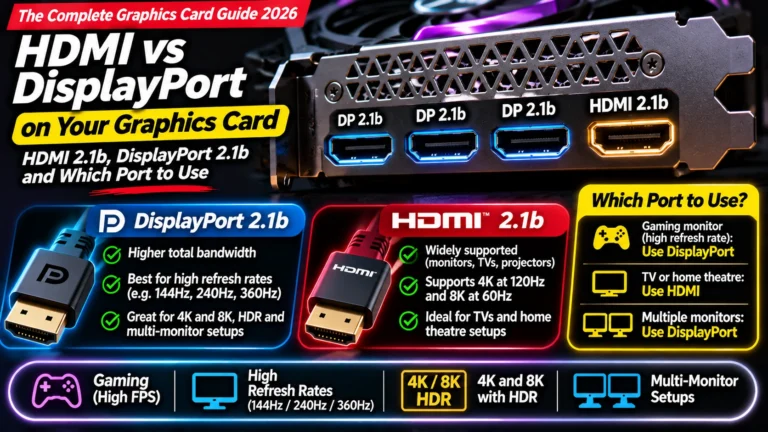
Article 19: HDMI vs DisplayPort on Your Graphics Card: Which Port to Use Which cable and port to use, what resolution and refresh rate mean, how many monitors you can connect, and the common mistake of plugging the monitor into the wrong place. Read this if: you’re connecting a new monitor or a dual-screen setup.
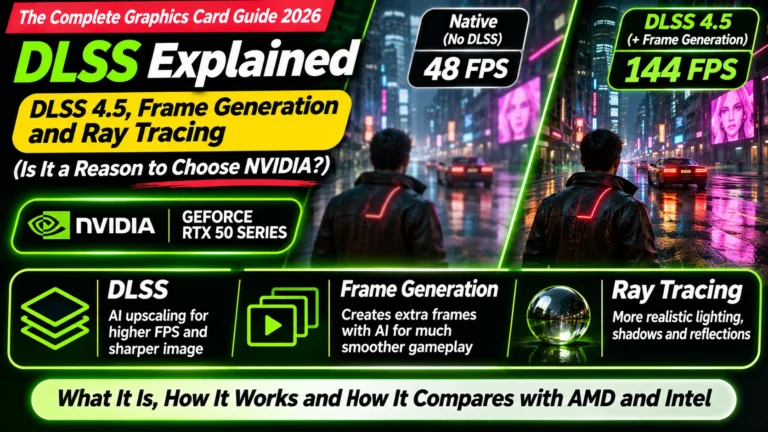
Article 20: DLSS Explained: DLSS 4.5, Frame Generation and Ray Tracing How AI makes games look sharper and run faster (DLSS, FSR and XeSS), what “frame generation” adds and its catch, and what ray tracing is and why it’s so demanding. Read this if: you want to know whether DLSS is a reason to choose NVIDIA.
A–Z jargon finder
Saw a word on a box or an Amazon page and don’t know what it means? Find it here and jump to the article that explains it.
| Word you saw | Quick meaning | Full explanation |
|---|---|---|
| 8-pin / 16-pin / 12V-2×6 / 12VHPWR | The power cable that plugs into the card | Article 4 |
| 80 PLUS (Bronze, Gold, Platinum) | How efficient a power supply is | Article 4 |
| 128-bit / 192-bit / 256-bit | How “wide” the road to the memory is | Article 13 |
| 4:2:2 | A high-quality camera video format newer cards can decode | Article 5 |
| AV1 | A newer, more efficient video format for streaming and exports | Article 5 |
| Axial-tech | ASUS’s name for its fan design | Article 17 |
| Boost clock | The top speed the chip reaches when cool enough | Article 14 |
| CUDA cores | NVIDIA’s general-purpose workers inside the chip | Article 15 |
| DisplayPort 2.1b | A port for connecting monitors | Article 19 |
| DLSS 4 | NVIDIA’s AI feature that makes games faster | Article 20 |
| Dual BIOS | A switch for quiet mode vs performance mode | Article 17 |
| FSR / XeSS | AMD’s and Intel’s versions of DLSS | Article 20 |
| Founders Edition | NVIDIA’s own version of its card | Article 11 |
| Frame generation | AI-created extra frames in games | Article 20 |
| GB (8 GB, 12 GB, 16 GB) | The card’s own memory (VRAM) | Article 3 |
| Gbps (e.g. 28 Gbps) | How fast each memory lane moves data | Articles 12, 13 |
| GDDR6 / GDDR6X / GDDR7 | The type and generation of the memory | Article 12 |
| GRE / XT | AMD model variants | Article 11 |
| HDMI 2.1b | A port for connecting monitors and TVs | Article 19 |
| IceStorm 2.0 / 3.0 | Zotac’s name for its cooling system | Article 17 |
| MHz (“Upto 2542 MHz”) | How fast the chip works | Article 14 |
| MRP and “% off” | Often an inflated price to make the discount look big | Articles 1, 2 |
| NVENC / NVDEC | NVIDIA’s built-in video engines | Articles 5, 15 |
| OC Edition | Factory-overclocked: slightly faster out of the box | Articles 11, 14 |
| PCI Express Gen 4 / 5 / 6 | The slot the card plugs into | Article 18 |
| Ray tracing | Realistic lighting in games | Article 20 |
| RT cores | The workers that handle ray tracing | Article 15 |
| SFF-Ready | Fits small PC cabinets | Article 16 |
| “Sold by” | Who is actually selling the card on Amazon | Articles 1, 2 |
| Slot width (2-slot, 2.5-slot) | How thick the card is | Article 16 |
| STORMFORCE / TRI FROZR | MSI’s names for its fans and cooler | Article 17 |
| SUPER / Ti | Faster versions of the same card level | Article 11 |
| Tensor cores | The AI workers inside NVIDIA chips | Article 15 |
| TGP / TBP (watts) | How much power the card uses | Article 4 |
| TORX Fan 5.0 | MSI’s name for its fan blade design | Article 17 |
| VRAM | The card’s own memory (shown as GB) | Article 3 |
| WINDFORCE | Gigabyte’s name for its cooler | Article 17 |
| x16 / x8 | How many lanes the card uses in the slot | Article 18 |
Our top picks right now
Here are four cards that cover most people’s needs. Prices in India have been changing almost every week in 2026, so we don’t print a price here. Always click through and check today’s price before buying. For the full ranking and fair price ranges, see Article 2: GPU Buying Guide India 2026.
| Pick | Card | Memory | Best for |
|---|---|---|---|
| 💰 Budget, and budget AI | NVIDIA RTX 5060 Ti 16 GB | 16 GB | 1080p gaming, 1080p editing, running small and medium AI models. Uses about the same power as older cards, so many people won’t need a new power supply. |
| ⭐ Sweet spot (best for most people) | NVIDIA RTX 5070 | 12 GB | 1440p gaming, 4K editing, streaming with background effects. The best balance of speed and price. |
| 🚀 High-end | NVIDIA RTX 5070 Ti | 16 GB | Fast 1440p and 4K gaming, heavy editing, larger AI models, streaming with every effect on. Needs a 750 W power supply. |
| 🤖 Serious AI and professionals | NVIDIA RTX 5090 | 32 GB | The fastest gaming card available, and the best for large local AI models. Very expensive and power-hungry. |
Check today’s prices on Amazon: – RTX 5060 Ti 16 GB – RTX 5070: our favourite version is the MSI RTX 5070 Gaming Trio OC, which has three fans and runs cool and quiet – RTX 5070 Ti – RTX 5090
Why all NVIDIA? AMD’s Radeon RX 9070 XT and RX 9070 are excellent gaming cards and often good value. We still pick NVIDIA for this audience because most AI tools, NVIDIA Broadcast (webcam and microphone effects) and many editing features work best (or only) on NVIDIA cards. If you only play games, AMD is well worth a look; see Article 7.
Before you buy any of them, check the official specifications: NVIDIA GeForce RTX 50 series, AMD Radeon, Intel Arc.
Frequently asked questions
Is 8 GB of graphics memory enough in 2026? For basic 1080p gaming, just about. For video editing, AI or newer games at higher settings, 8 GB is now the minimum and you’ll feel its limits. We recommend 12 GB or more. (Article 3)
Should I buy NVIDIA or AMD? For gaming only, both are good, and AMD often gives more speed for the money. For video editing, AI tools and streaming effects, NVIDIA is the safer choice because more software supports it. (Articles 5–8)
Will a new graphics card work with my old motherboard? Almost always, yes. A new “PCI Express Gen 5” card works in Gen 4 and Gen 3 slots, usually with little or no loss of speed. (Article 18)
Do I need a new power supply? It depends on the card and on your current power supply. Roughly: an RTX 5060 Ti needs about 600 W, an RTX 5070 650 W, and an RTX 5070 Ti needs 750 W. Check the label on your power supply before buying. (Article 4)
Should I wait for the RTX 50 SUPER or the next generation? In 2026, NVIDIA has released no new gaming cards. The RTX 50 SUPER has been delayed with no confirmed date, and the next big generation isn’t expected until 2027 or later. If you need a card now, there’s no clear reason to wait. (Article 2)
Why are graphics card prices so high in India right now? Mainly because memory chips are being bought up for AI data centres, card makers raised prices, and fewer cards are being shipped to India. Indian prices jumped far more than the global average in 2026. (Article 2)
Is an “OC Edition” worth paying extra for? Usually not much. Factory overclocking typically adds only a few percent of real speed (up to about 5–6% on well-cooled premium models). A better cooler is a better use of extra money. (Article 14)
Which brand is best: ASUS, MSI, Zotac or Gigabyte? They all use the same chip, so the speed is nearly identical. The differences are cooling, noise, build quality, warranty and price. Pick the best cooler and warranty you can afford. (Articles 11, 16, 17)
How to use this graphics card guide
- Bookmark this page. It’s the home page of the whole series.
- Every article links back here, at the top and in the “Where next?” box at the bottom.
- Every article is linked above, so you can jump straight to any topic.
Last updated: 22 November 2026. All 20 articles published.