GPU Clock Speed and OC Edition Explained: Is “Upto 2610 MHz” Worth Paying Extra For?
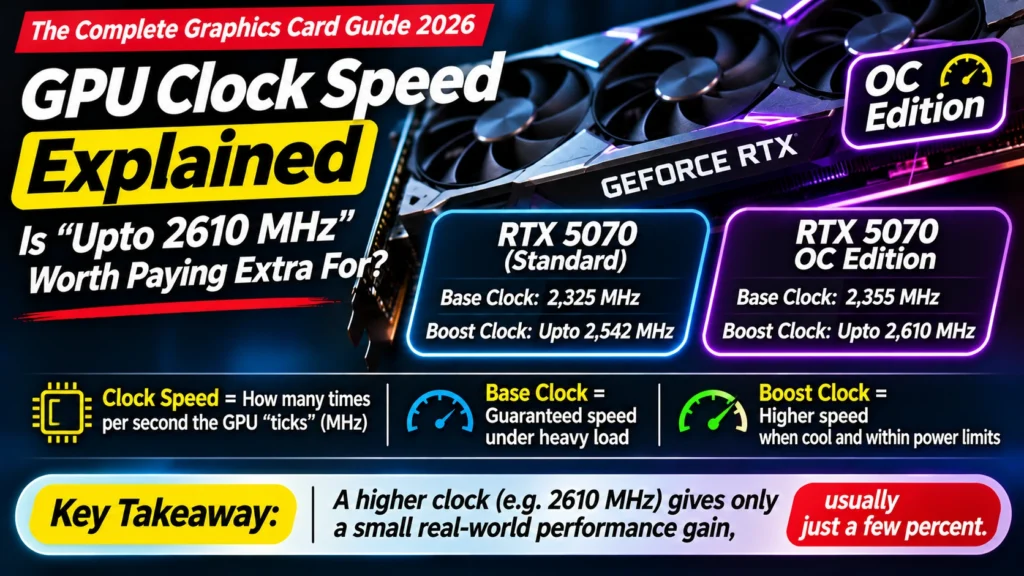
GPU clock speed explained: what MHz, base and boost clock mean, how much faster an OC Edition really is, and why you can't compare MHz between different cards.
📘 Part of The Complete Graphics Card Guide 2026. New here? Start with the guide.
Disclosure: This article contains Amazon affiliate links. If you buy through them, we may earn a small commission at no extra cost to you.
One RTX 5070 listing says “Upto 2542 MHz”. Another says “Upto 2610 MHz” and costs more. A third is called “OC Edition”. Does the higher number really make a difference? GPU clock speed is one of the most visible numbers on a listing, and one of the least important. Here’s why, and when it’s worth paying for.
For a general explanation of clock speed across processors, see our Clock Speed Explained post. This article focuses on graphics cards and what to do on Amazon.
What GPU clock speed means
The clock speed is how many times per second the graphics chip “ticks”, measured in megahertz (MHz) or gigahertz (GHz). 2,500 MHz means 2.5 billion ticks every second. On each tick, the chip’s thousands of cores do a little work.
Think of it as the pace at which a team of workers moves. A faster pace gets more done, but only if you compare the same team.
Base clock vs boost clock
Graphics cards list two speeds:
- Base clock: the speed the chip is guaranteed to run at under heavy load.
- Boost clock: a higher speed the chip reaches automatically when it has enough power and is cool enough.
For the RTX 5070, NVIDIA lists a base clock of 2.33 GHz and a boost clock of 2.51 GHz; the RTX 5070 Ti is 2.30 / 2.45 GHz (NVIDIA).
In practice, modern NVIDIA and AMD cards adjust their speed constantly, many times a second, depending on temperature, power and workload. A well-cooled card often runs above its advertised boost clock in games. A hot card in a cramped cabinet runs lower.
That’s why Amazon titles say “Upto”: it’s a best-case figure, not a promise.
Why you can’t compare MHz between different cards
This is the most important thing to remember.
The RTX 5060 Ti has a higher boost clock (about 2,572 MHz) than the RTX 5070 (2,512 MHz) (Tom’s Hardware). Yet the RTX 5070 is clearly the faster card, because it has far more cores (6,144 vs 4,608) and a wider memory bus.
Back to the workers: a team of 4,600 moving slightly faster still gets less done than a team of 6,100 moving at almost the same pace. Clock speed only tells you something when you compare versions of the same chip. To compare different models, use real benchmarks.
👉 Why core count matters: Article 15: CUDA, Tensor and RT Cores Explained · Why the memory bus matters: Article 13: Memory Bus Width Explained
What “OC Edition” means
OC stands for overclocked. An “OC Edition” card has been set by its maker to run a little faster than NVIDIA’s or AMD’s standard speed, straight out of the box. For example, MSI lists its RTX 5070 Shadow 2X OC at up to 2,542 MHz and its Gaming Trio OC at up to 2,610 MHz, against NVIDIA’s standard 2,512 MHz.
How much faster is it really?
Usually a few percent. The clock difference itself is small: 2,610 MHz is about 4% above 2,512 MHz. But premium OC cards often gain a little more in practice, because their bigger coolers and higher power limits let them hold high speeds for longer.
TweakTown measured the MSI RTX 5070 Gaming Trio OC at about 5–6% faster than NVIDIA’s own RTX 5070 Founders Edition at 1440p and 4K (TweakTown). Basic OC versions with smaller coolers typically gain less.
To put that in perspective: in a game running at 100 frames per second, 5% is 105 frames per second. You probably won’t notice it without a frame counter.
So is an OC Edition worth it?
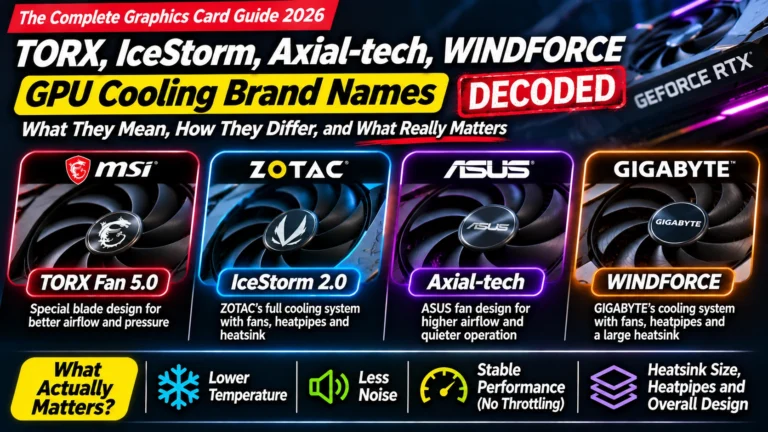
Pay for the cooler, not the “OC” label. The reasons premium OC cards are slightly faster (bigger coolers, stronger power delivery) also make them cooler and quieter, which you will notice, especially in Indian summers. But paying a big premium just for a higher MHz number on a basic card is rarely worth it.
My rule of thumb: – Small price difference (a few thousand rupees) for a better-cooled OC version? Worth it. – Big price difference just for “OC” on the same basic cooler? Not worth it. – Basic version clearly cheaper? Buy it, and enjoy nearly the same speed.
👉 What the cooler and power delivery do: Article 10: Parts of a Graphics Card Explained
Why cooling decides your real GPU clock speed
Graphics chips protect themselves from heat. As they get hotter, they automatically lower their clock speed, a process called thermal throttling (our Thermal Throttling Explained post covers it in detail).
That means two cards with the same advertised boost clock can run at different real speeds:
- a card with a large three-fan cooler in a well-ventilated cabinet holds high clocks
- a card with a small cooler in a hot, cramped cabinet drops its clocks
In a hot room without air conditioning, this difference is bigger. Good cabinet airflow (front intake fans, a rear exhaust fan, cables tidied away) is a free way to get the most from any card.
👉 Two fans vs three, and fitting your cabinet: Article 16: Two Fans or Three? GPU Cooling and Card Size
Can you overclock it yourself?
Yes. Free tools like MSI Afterburner (which works with most brands’ cards) let you raise clock speeds yourself. Reviewers often find extra headroom; HotHardware saw roughly 8–15% gains from manually overclocking an RTX 5070 Founders Edition in its tests (HotHardware). Results vary from card to card.
For most people, though, a more useful tweak is the opposite: undervolting, which lowers the chip’s voltage slightly. Done carefully, it can cut heat, noise and power use with little or no loss of speed. If you try either, make small changes, test stability, and remember that pushing too far can cause crashes.
Quick summary
- Clock speed (MHz) is how fast the chip ticks; boost clock is the higher speed it reaches when cool and powered.
- “Upto” means best case: real speed depends on cooling and power.
- Never compare MHz between different models; a slower-clocked RTX 5070 beats a faster-clocked RTX 5060 Ti.
- OC Editions are a few percent faster, typically up to about 5–6% for well-cooled premium models.
- Pay for better cooling, not the OC label.
- Good cabinet airflow helps any card hold its clock speed.
What to look for on Amazon: checklist
- ☐ You’re comparing MHz only between versions of the same model
- ☐ The price difference for “OC” is small, or comes with a better cooler
- ☐ You’ve looked at the cooler (fans, size) more than the MHz figure
- ☐ Your cabinet has good airflow for the card you choose
- ☐ You’ve checked independent reviews if paying extra for a premium OC model
Compare RTX 5070 versions
- Better-cooled OC: MSI RTX 5070 Gaming Trio OC · ASUS TUF RTX 5070 OC
- All versions: RTX 5070 on Amazon
- Our model-by-model comparison: Best RTX 5070 Ti and 5070 Cards
Bottom Line
GPU clock speed matters only when you compare versions of the same card, and even then the difference is usually a few percent. “Upto” figures are best cases that depend on cooling. An OC Edition is worth buying when it comes with a better cooler for a small extra cost; it’s not worth a big premium on its own. Choose the right model first, then the best cooler you can afford, and let the MHz take care of itself.
Sources
- NVIDIA: GeForce RTX 5070 family specifications
- Tom’s Hardware: RTX 5070 vs RTX 5060 Ti 16GB
- TweakTown: MSI GeForce RTX 5070 Gaming Trio OC review
- HotHardware: GeForce RTX 5070 FE review (overclocking)
- TechPowerUp: ASUS GeForce RTX 5070 TUF OC review
- Top Tech Compare: Clock Speed Explained
Where next?
⬅️ Back to The Complete Graphics Card Guide 2026: see all 20 articles
➡️ Next: Article 15: CUDA, Tensor and RT Cores Explained
🔗 Related: – Article 11: How to Read GPU Names – Article 10: Parts of a Graphics Card Explained – Thermal Throttling Explained