How to Read GPU Names: RTX 5070 Ti, SUPER, XT, OC and Every Brand Line-Up Explained
How to read GPU names: what RTX, 50, 70, Ti, SUPER, XT and OC mean, how ASUS, MSI, Zotac and Gigabyte line-ups rank, and the laptop-name trap to avoid.
📘 Part of The Complete Graphics Card Guide 2026. New here? Start with the guide.
Disclosure: This article contains Amazon affiliate links. If you buy through them, we may earn a small commission at no extra cost to you.
Search Amazon for “RTX 5070” and you’ll get dozens of results with names like ASUS TUF Gaming GeForce RTX 5070 OC, MSI GeForce RTX 5070 12G Ventus 2X OC and ZOTAC GAMING GeForce RTX 5070 Twin Edge. Are they different cards? Which one is better? Once you know how to read GPU names, it’s actually quite logical.
This guide decodes every part of a graphics card name, from NVIDIA’s numbers and AMD’s letters to the brand line-ups that confuse most buyers.
How to read GPU names: the two halves of every name
Every graphics card name has two parts:
- The chip: who designed it and which model it is, for example NVIDIA GeForce RTX 5070. This decides performance.
- The card version: which company built the card around the chip, and which of its versions it is, for example ASUS TUF Gaming … OC. This decides cooling, noise, looks, warranty and price.
Always read the chip part first. Two cards with the same chip perform within a few percent of each other, whatever brand they are.
Decoding NVIDIA names
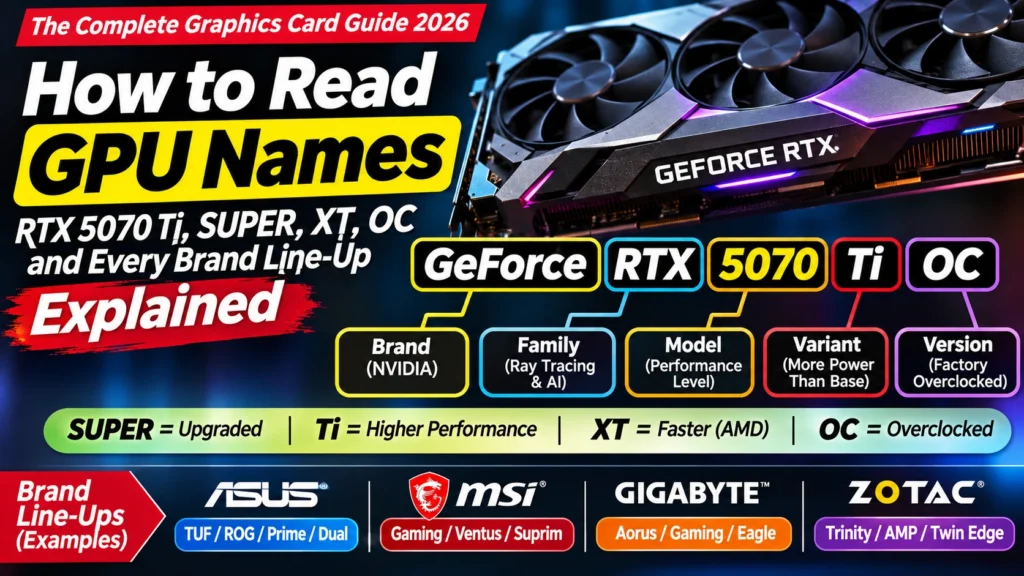
Take GeForce RTX 5070 Ti as an example:
| Part | Meaning |
|---|---|
| GeForce | NVIDIA’s brand for gaming and creator cards |
| RTX | The family: cards with ray-tracing (RT) and AI (Tensor) cores. Older, more basic cards were called GTX and lack these |
| 50 | The generation. Higher is newer |
| 70 | The level within that generation. Higher is faster |
| Ti | A faster version of the same level |
Generations: the first two digits
| Generation | Launched | Notes |
|---|---|---|
| RTX 20 (e.g. 2060) | 2018 | The first RTX cards |
| RTX 30 (e.g. 3060) | 2020 | Still sold in India, but old |
| RTX 40 (e.g. 4070) | 2022 | Mostly discontinued; common second-hand |
| RTX 50 (e.g. 5070) | 2025 | The current generation |
NVIDIA released no new gaming generation in 2026, so the RTX 50 series is current.
Levels: the last two digits
- 50: entry level (RTX 5050)
- 60: budget (RTX 5060, 5060 Ti)
- 70: upper mid-range, the sweet spot for most people (RTX 5070, 5070 Ti)
- 80: high end (RTX 5080)
- 90: the very top (RTX 5090)
A useful rule: a higher level from an older generation can beat a lower level from a newer one. An RTX 4070 SUPER, for example, is in the same class as an RTX 5070, and much faster than an RTX 5060.
Ti and SUPER
- Ti (short for “Titanium”) marks a faster version of the same level. The RTX 5070 Ti is clearly faster than the RTX 5070, with 16 GB of memory instead of 12 GB.
- SUPER is a mid-generation refresh, usually a little faster than the original. The RTX 40 series had SUPER versions (like the 4070 SUPER). An RTX 50 SUPER refresh was expected but has been delayed, with no confirmed date as of November 2026.
Roughly: plain < SUPER < Ti < Ti SUPER, within the same level (not every combination exists in every generation).
Founders Edition
A Founders Edition is NVIDIA’s own design, sold by NVIDIA itself rather than a partner brand. It’s usually sold at the official launch price, but stock is very limited, and in India it’s hard to find.
Decoding AMD names
Take Radeon RX 9070 XT:
| Part | Meaning |
|---|---|
| Radeon | AMD’s graphics brand |
| RX | Its gaming card family |
| 9 | The generation (RX 9000 is the current one, launched in 2025) |
| 070 | The level. Higher is faster (9060 < 9070) |
| XT | A faster version of the same model |
AMD jumped straight from the RX 7000 series to the RX 9000 series, skipping 8000 for desktop cards, partly to match its Ryzen 9000 processors (TechPowerUp).
Other AMD suffixes you’ll see: – XT: faster version (RX 9070 XT > RX 9070) – XTX: faster still (seen on the older RX 7900 XTX) – GRE: a slightly cut-down version. The RX 9070 GRE sits just below the RX 9070.
Decoding Intel names
Take Intel Arc B580:
- Arc: Intel’s graphics card brand
- B: the generation. A was the first (Alchemist, 2022), B is the second (Battlemage, launched late 2024)
- 580: the level. Higher is faster (B570 < B580)
Intel cards are good value where available, but stock in India is limited.
Decoding the brand part of the name
NVIDIA and AMD sell their chips to brands that build the actual cards. Each brand has several versions, from basic to premium. Here’s how the main ones rank for the RTX 50 series, from most basic to most premium:
| Brand | Basic → Premium |
|---|---|
| ASUS | Dual → Prime → TUF Gaming → ROG Strix → ROG Astral |
| MSI | Shadow / Inspire → Ventus → Gaming Trio → Vanguard → Suprim |
| Zotac | Solid / Twin Edge → AMP → AMP Extreme |
| Gigabyte | Windforce → Eagle → Gaming OC → Aorus |
Sources: ASUS, MSI, Overclocking.com
Other brands you’ll see in India include Inno3D, PNY, Galax, Palit and Colorful for NVIDIA, and Sapphire (Pulse, Nitro+), PowerColor (Reaper, Hellhound, Red Devil), XFX and ASRock for AMD. Our Best RX 9070 XT Cards comparison covers the AMD brands.
What changes between basic and premium versions? Mainly the cooler size, the number of fans, the power delivery, the build materials, RGB lighting and sometimes the warranty. Speed differs by only a few percent. See Article 10: Parts of a Graphics Card Explained for what you’re paying for.
My advice: the mid tier of each brand (ASUS TUF, MSI Gaming Trio, Zotac AMP, Gigabyte Gaming OC) is usually the best balance of cooling and price. The basic tier is fine if it’s clearly cheaper; the top tier is mostly for enthusiasts and looks.
The extra words on the box
| Word | Meaning |
|---|---|
| OC / OC Edition | Factory overclocked: a little faster out of the box, usually a few percent |
| SOC | MSI’s “super overclocked” versions, slightly higher still |
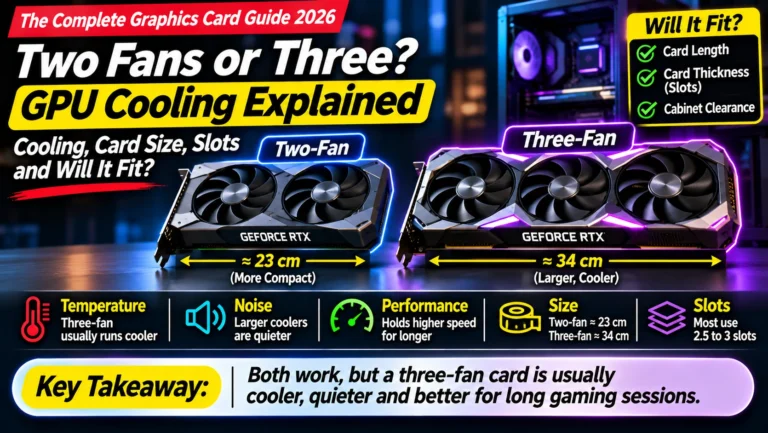
| 2X, 3X, Trio, Twin | Number of fans (two or three) |
| White / Aero | A white-coloured version; same performance |
| SFF-Ready | Small enough for compact “small form factor” cabinets |
| 12G, 16GB | Amount of video memory |
| D (e.g. RTX 5090 D) | A version made for the Chinese market; avoid if you see it elsewhere |
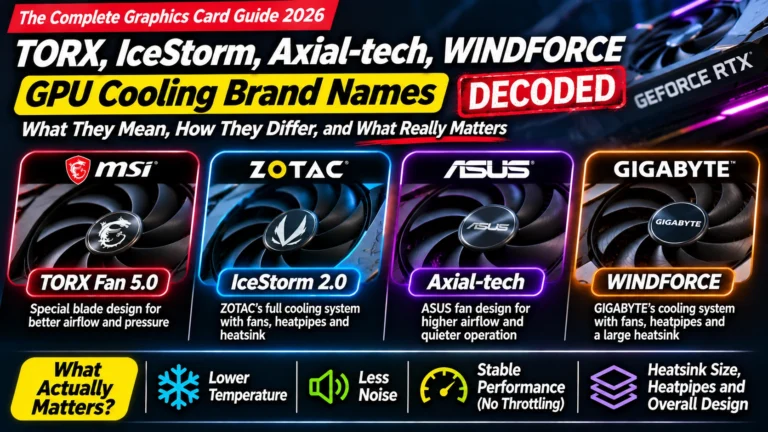
👉 OC and clock speeds: Article 14: GPU Clock Speed and OC Edition · Fan names like TORX and IceStorm: Article 17: GPU Cooling Brand Names Decoded
The laptop trap
On laptops, the same names mean something different. An “RTX 5070 Laptop GPU” is not the same as a desktop RTX 5070: laptop versions run on much less power, often have less memory, and are noticeably slower. Performance also varies a lot from one laptop to another depending on how much power the maker allows. Our Dedicated GPU Explained post covers laptop graphics in more detail.
If you’re buying a desktop card, make sure the listing is for a graphics card, not a laptop with that name.
The model number: your secret weapon
Every card also has a manufacturer’s model number, for example ZT-B50700FQ-10P (a Zotac RTX 5070 AMP White) or G5070-12GTC (an MSI RTX 5070 Gaming Trio). It looks like gibberish, but it’s extremely useful:
- Search it at several shops to compare prices for exactly the same product.
- Check it on the brand’s website if the Amazon title and the “Technical Details” disagree; the model number wins.
How to read GPU names in practice: three examples
“ASUS TUF Gaming GeForce RTX 5070 Ti 16GB GDDR7 OC Edition” → NVIDIA’s current generation (50), upper-mid level (70), faster Ti version, 16 GB memory, built by ASUS in its mid-to-premium TUF version, slightly overclocked.
“MSI GeForce RTX 5070 12G Shadow 2X OC” → RTX 5070 with 12 GB, MSI’s most basic two-fan version, slightly overclocked. Only worth it if clearly cheaper than better versions.
“Sapphire Pulse Radeon RX 9070 XT 16GB” → AMD’s current generation, upper-mid level, faster XT version, 16 GB, built by Sapphire in its mainstream Pulse version.
Quick summary
- Read the chip first (e.g. RTX 5070): it decides performance. The brand and version decide cooling, looks and price.
- NVIDIA: RTX + generation (50) + level (70) + Ti/SUPER. Higher numbers are newer and faster.
- AMD: RX + generation (9) + level (070) + XT/XTX/GRE.
- Intel: Arc + generation letter (B) + level (580).
- Brand tiers: mid tiers (TUF, Gaming Trio, AMP, Gaming OC) are usually the best balance.
- Laptop GPUs with the same name are slower than desktop cards.
- Use the model number to compare prices and check specs.
What to look for on Amazon: checklist
- ☐ The chip is exactly the one you want (e.g. RTX 5070 Ti, not 5070 or 5060 Ti)
- ☐ It’s a desktop graphics card, not a laptop
- ☐ The memory size is right (e.g. 16 GB, not 8 GB)
- ☐ You know where the version sits in the brand’s line-up (basic, mid, premium)
- ☐ You’re not paying a premium-version price for a basic version
- ☐ You’ve searched the model number to compare prices
Shop by model
Bottom Line
Learning how to read GPU names comes down to one habit: read the chip first, the brand second. The chip (like RTX 5070 Ti or RX 9070 XT) tells you the performance; the generation number tells you how new it is; Ti, SUPER and XT tell you it’s a faster variant. The brand’s version name (TUF, Gaming Trio, AMP, Pulse) tells you about cooling, looks and price. For most buyers, the brand’s mid-tier version of the right chip is the smartest purchase.
Sources
- ASUS ROG: Astral vs Strix vs TUF vs Prime
- MSI: RTX 50 series graphics cards line-up
- Overclocking.com: MSI’s new Vanguard and Inspire series
- Tom’s Hardware: ASUS ROG Astral, Strix, TUF and Prime RTX 50 cards
- TechPowerUp: AMD explains its RDNA 4 naming
- NVIDIA: GeForce RTX 50 series
Where next?
⬅️ Back to The Complete Graphics Card Guide 2026: see all 20 articles
➡️ Next: Article 12: GDDR7 vs GDDR6 Explained
🔗 Related: – Article 1: Decoding an Amazon GPU Listing – Article 10: Parts of a Graphics Card Explained – Best RTX 5070 Ti and 5070 Cards