GDDR7 vs GDDR6 Explained: What the Memory Type and “28 Gbps” Mean on a Graphics Card
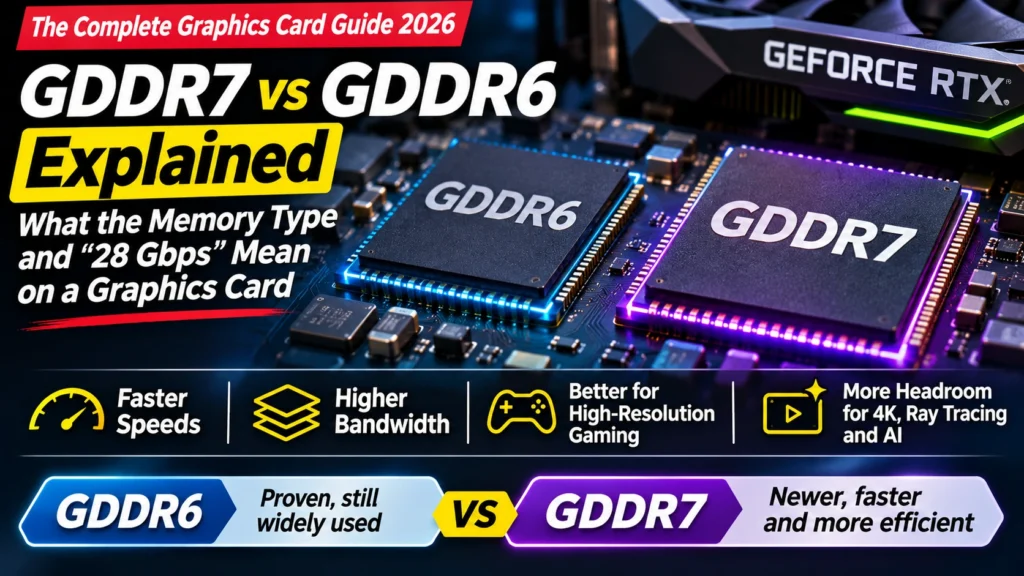
GDDR7 vs GDDR6 explained simply: what GDDR means, how GDDR6, GDDR6X and GDDR7 differ, what "28 Gbps" tells you, which cards use which, and does it matter?
📘 Part of The Complete Graphics Card Guide 2026. New here? Start with the guide.
Disclosure: This article contains Amazon affiliate links. If you buy through them, we may earn a small commission at no extra cost to you.
Almost every graphics card listing mentions a memory type: “12GB GDDR7“, “16GB GDDR6“, sometimes followed by “28 Gbps“. Is GDDR7 automatically better? Should you avoid GDDR6? The GDDR7 vs GDDR6 question has a simpler answer than the jargon suggests, and this article explains it in plain language.
What GDDR means
GDDR stands for Graphics Double Data Rate. It’s a type of memory designed specially for graphics cards: the card’s own video memory (VRAM), the “desk” where it keeps textures, video frames and AI models while it works.
It’s a cousin of the DDR memory in your PC (like DDR5), but tuned differently. Normal PC memory is designed for quick responses to lots of small requests; graphics memory is designed to move huge amounts of data as fast as possible. If you’re curious about the PC side, our DDR5 RAM Explained post covers it.
The number after GDDR is the generation. Higher is newer and faster.
GDDR7 vs GDDR6 (and GDDR6X): the three generations you’ll see
GDDR6
The workhorse of the last few years, and still widely used in 2026. It’s a standard defined by JEDEC (the industry body that sets memory standards), made by several companies, and reaches speeds of up to about 20–24 Gbps per pin in graphics cards. AMD’s current Radeon RX 9000 series and Intel’s Arc cards use GDDR6.
GDDR6X
A faster version developed by Micron and NVIDIA together, used on high-end NVIDIA cards from the RTX 30 and RTX 40 generations. It sends more data per tick of the clock than GDDR6 by using a cleverer signalling method, but it runs hotter and uses more power (Tom’s Hardware). You’ll mainly see it on older cards now.
GDDR7
The newest generation, published as an open JEDEC standard in 2024 and used across NVIDIA’s RTX 50 series (AnandTech). Compared with GDDR6, it:
- moves more data per tick, using a signalling method that sits between GDDR6 and GDDR6X
- runs faster: current cards use 28–30 Gbps, and the standard allows much higher speeds in future
- uses less power for the same work; Samsung, one of its makers, claims up to 30% better power efficiency than GDDR6 (Samsung)
So yes, GDDR7 is genuinely better technology. But that doesn’t automatically make every GDDR7 card better than every GDDR6 card, as we’ll see.
HBM: you may read about “HBM” memory in AI news. It’s an even faster, stacked memory used in AI data-centre chips, not in consumer graphics cards.
What “28 Gbps” means
Gbps means gigabits per second. On a graphics card, it’s the speed of each individual connection (each “pin”) between the memory and the graphics chip.
Picture a highway between a factory (the GPU) and a warehouse (the memory):
- Gbps is the speed limit on each lane
- the bus width (for example 192-bit) is the number of lanes
- bandwidth is the total traffic the highway can carry each second
You can work out bandwidth yourself: bus width ÷ 8 × Gbps = GB per second. For an RTX 5070: 192 ÷ 8 × 28 = 672 GB/s. For an RTX 5090: 512 ÷ 8 × 28 = 1,792 GB/s, which matches NVIDIA’s official figure.
👉 The “number of lanes” in detail: Article 13: Memory Bus Width Explained
Which cards use which memory?
| Card | Memory | Speed | Bus width | Bandwidth |
|---|---|---|---|---|
| RTX 5090 | 32 GB GDDR7 | 28 Gbps | 512-bit | 1,792 GB/s |
| RTX 5080 | 16 GB GDDR7 | 30 Gbps | 256-bit | 960 GB/s |
| RTX 5070 | 12 GB GDDR7 | 28 Gbps | 192-bit | 672 GB/s |
| RTX 5050 (desktop) | 8 GB GDDR6 (reported) | 20 Gbps | 128-bit | 320 GB/s |
| RX 9070 XT | 16 GB GDDR6 | 20 Gbps | 256-bit | 640 GB/s |
| RX 9060 XT 16 GB | 16 GB GDDR6 | ~20 Gbps | 128-bit | 320 GB/s |
Sources: NVIDIA, AMD, Tom’s Hardware on the RTX 5050
Notice two things:
- The RX 9070 XT, with “older” GDDR6, has almost as much bandwidth as the RTX 5070 with GDDR7, because it has more lanes (256-bit vs 192-bit). And in games, the RX 9070 XT is faster than the RTX 5070.
- Not every RTX 50 card uses GDDR7. The entry-level desktop RTX 5050 was reported to use GDDR6.
GDDR7 vs GDDR6: does the memory type matter when you buy?
Much less than you’d think. Here’s why:
- The memory type comes with the chip. Every RTX 5070 has GDDR7; every RX 9070 XT has GDDR6. You can’t choose a different memory type for the same card, so it’s not something to compare between brands’ versions.
- Overall performance is what counts. The memory type is one ingredient. A GDDR6 card can beat a GDDR7 card if it has a stronger chip or a wider memory bus, as the RX 9070 XT shows.
- The amount of memory usually matters more. For AI and heavy editing, 16 GB of GDDR6 is often more useful than 12 GB of GDDR7. See Article 3: How Much VRAM Do You Need?
Where it does matter:
- Comparing generations: an RTX 50 card’s GDDR7 is part of why it’s faster and more efficient than the RTX 40 card it replaces.
- Spotting listing errors: if an Amazon listing says “RTX 5070 Ti … GDDR6” or “RTX 5070 … GDDR6X”, something’s wrong. Those cards use GDDR7. Check the model number on the brand’s website and be careful with that seller.
Why GDDR7 made graphics cards more expensive in 2026
GDDR7 has also been part of 2026’s price story. Memory makers are selling as much as they can to AI data centres, leaving less for gaming cards, and the higher-capacity 3 GB GDDR7 chips have become especially expensive. Reports say NVIDIA put its planned RTX 50 SUPER refresh, which would have used those larger chips, on hold for this reason (TweakTown).
👉 More on 2026 prices: Article 2: GPU Buying Guide India 2026
Quick summary
- GDDR is memory built for graphics cards; the number is the generation.
- GDDR6: widely used (AMD RX 9000, Intel Arc, RTX 5050). GDDR6X: older high-end NVIDIA cards. GDDR7: the newest, used on most RTX 50 cards; faster and more efficient.
- “28 Gbps” is the speed per memory lane; multiply by the bus width (÷ 8) to get total bandwidth.
- The memory type comes with the chip, so you don’t choose it separately.
- Memory amount and overall performance matter more than the memory type.
- A wrong memory type in a listing is a red flag.
What to look for on Amazon: checklist
- ☐ RTX 5060 and above should say GDDR7
- ☐ AMD RX 9000 cards should say GDDR6 (that’s normal, not a downgrade)
- ☐ If the memory type looks wrong for the model, check the model number on the brand’s site
- ☐ You’ve compared memory amount (GB) and overall performance, not just the memory type
- ☐ You’re not paying extra for “GDDR7” alone
Compare cards
- GDDR7, 12 GB: NVIDIA RTX 5070
- GDDR7, 16 GB: NVIDIA RTX 5070 Ti
- GDDR6, 16 GB: AMD RX 9070 XT (see our RTX 5070 Ti vs RX 9070 XT comparison)
Bottom Line
In the GDDR7 vs GDDR6 question, GDDR7 is the faster, more efficient technology, and it’s one reason RTX 50 cards improved on RTX 40. But you can’t pick the memory type separately; it comes with the chip, and a well-designed GDDR6 card like the RX 9070 XT can still beat a GDDR7 card in games. When you shop, compare the amount of memory and real-world performance, and use the memory type mainly to spot listing mistakes.
Sources
- Tom’s Hardware: what is GDDR7 memory?
- AnandTech: JEDEC publishes GDDR7 memory spec
- Rambus: all you need to know about GDDR7
- Samsung: GDDR7
- NVIDIA: GeForce RTX 50 series specifications
- AMD: Radeon RX 9070 XT specifications
- Tom’s Hardware: RTX 5050 to use 20 Gbps GDDR6
- TweakTown: RTX 50 SUPER on hold over 3GB GDDR7 pricing
Where next?
⬅️ Back to The Complete Graphics Card Guide 2026: see all 20 articles
➡️ Next: Article 13: Memory Bus Width Explained
🔗 Related: – Article 3: How Much VRAM Do You Need? – Article 1: Decoding an Amazon GPU Listing – VRAM (Video Memory) Explained