Decoding an Amazon GPU Listing, Word by Word: What “12GB GDDR7 192-bit”, “TORX Fan” and “PCIe Gen 5” Really Mean
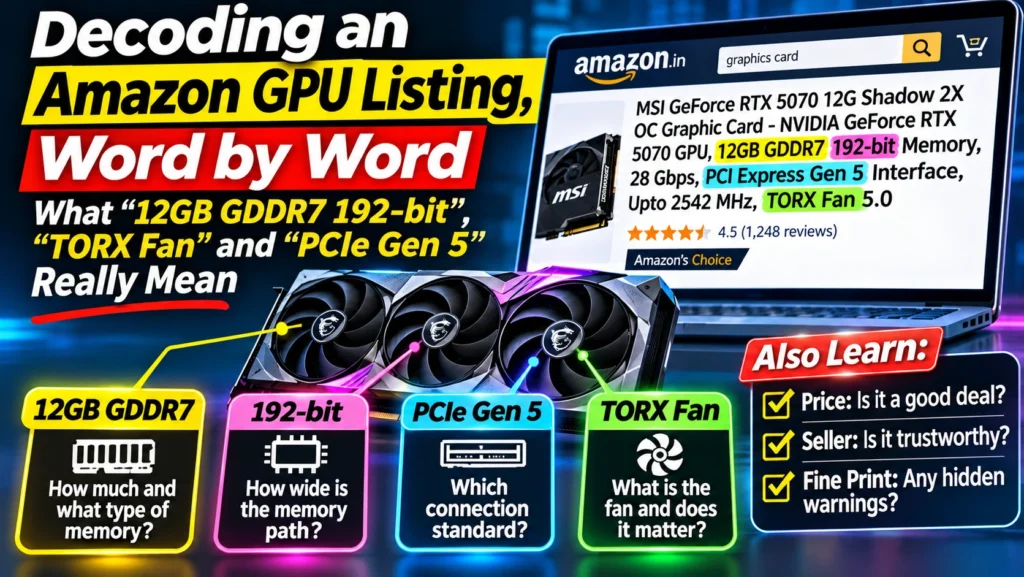
Confused by an Amazon GPU listing? We decode three real RTX 5070 and 5060 Ti titles word by word, from GDDR7 and 192-bit to TORX fans, plus the price traps.
📘 Part of The Complete Graphics Card Guide 2026. New here? Start with the guide.
Disclosure: This article contains Amazon affiliate links. If you buy through them, we may earn a small commission at no extra cost to you.
Why an Amazon GPU listing is so hard to read
When you shop for a graphics card, the title of an Amazon GPU listing isn’t really a title. It’s a long, breathless list of specifications, squeezed into one line. Here’s a real one:
MSI GeForce RTX 5070 12G Shadow 2X OC Graphic Card – NVIDIA GeForce RTX 5070 GPU, 12GB GDDR7 192-bit Memory, 28 Gbps, PCI Express Gen 5 Interface, Upto 2542 MHz, TORX Fan 5.0
Every word in that line means something. Some words matter a lot to you as a buyer. Some barely matter at all. And a few are pure marketing. The trouble is that the listing gives them all the same weight, so you can’t tell which is which.
In this article we take three real Amazon listings and go through them one phrase at a time. For each phrase you’ll get a plain-language meaning, an everyday comparison where it helps, and a verdict on how much it matters when you’re choosing. Each term also has its own full article in this series if you want to go deeper.
Then we’ll look at the part of the Amazon page that’s even more important than the title, and that’s where most people lose money: the price, the seller and the fine print.
You don’t need any technical background. If you can read a phone’s spec sheet, you can read a graphics card listing by the end of this page.
Listing 1: the MSI RTX 5070 Shadow 2X
MSI GeForce RTX 5070 12G Shadow 2X OC Graphic Card – NVIDIA GeForce RTX 5070 GPU, 12GB GDDR7 192-bit Memory, 28 Gbps, PCI Express Gen 5 Interface, Upto 2542 MHz, TORX Fan 5.0
Let’s take it apart, left to right.
“MSI”
This is the brand that built the card, not the company that made the chip inside it. NVIDIA designs the graphics chip, then sells it to brands like MSI, ASUS, Zotac and Gigabyte. Each brand builds its own card around that chip: its own circuit board, cooler, fans and design.
It’s a bit like cars that share an engine. Two cars can have the same engine and still feel different, because one has better brakes, suspension and air-conditioning.
How much it matters: for speed, very little, because the chip is the same. For cooling, noise, build quality, warranty and after-sales service, quite a lot.
👉 Full guide: Article 11: How to Read GPU Names
“GeForce RTX 5070”
This is the actual product, and the most important words in the whole title. Everything else describes this.
- GeForce is NVIDIA’s brand name for its gaming and creator graphics cards.
- RTX is the family. It tells you the card has special hardware for realistic lighting (ray tracing) and AI features.
- 50 is the generation. The 50 series came out in 2025. Before it came the 40 series (2022–24), and before that the 30 series (2020–21). Bigger number, newer card.
- 70 is the level within that generation. The levels go 50 (entry), 60 (budget), 70 (upper middle), 80 (high-end) and 90 (the very top). Bigger number, faster card.
So “RTX 5070” means: NVIDIA’s latest generation, upper-middle level. In 2026 it’s the card most buyers should look at first.
How much it matters: this is everything. Choose the model (5060 Ti, 5070, 5070 Ti and so on) first, and only then choose the brand and version.
👉 Full guide: Article 11: How to Read GPU Names
“12G” and “12GB”
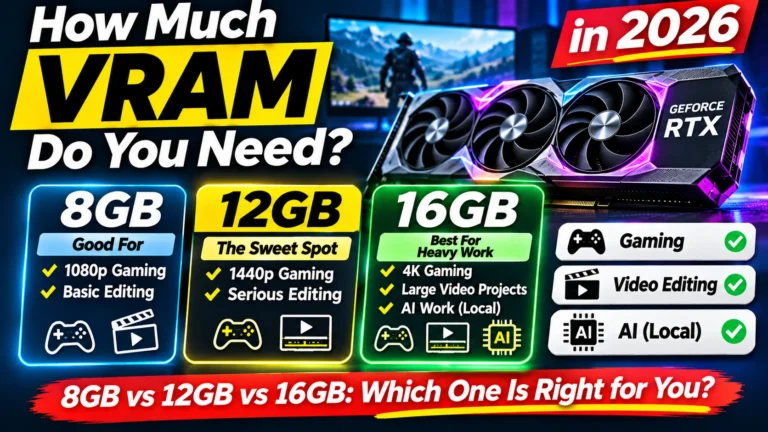
This is the card’s own memory, called VRAM (video memory). It’s separate from your computer’s normal RAM, and it’s where the card keeps everything it’s working on: game textures, frames from your video timeline, or the “brain” of an AI model.
Think of it as the card’s desk. A bigger desk lets you keep more papers open at once without stopping to fetch them from a cupboard. When a graphics card runs out of desk space, games stutter, editing software slows down, and AI models may refuse to load at all.
In 2026, 8 GB is the bare minimum, 12 GB is comfortable for most gaming and editing, and 16 GB or more is better for 4K editing and AI.
How much it matters: a lot, especially for AI and video editing.
👉 Full guide: Article 3: How Much VRAM Do You Need?
“Shadow 2X”
This is MSI’s name for this particular version of the RTX 5070. Each brand sells several versions of the same card, from basic to premium. For MSI’s RTX 50 cards, the order is roughly Shadow → Ventus → Gaming Trio → Suprim, from most basic to most premium.
“2X” means two fans. Shadow is MSI’s most basic, compact design.
How much it matters: it tells you where the card sits in the brand’s range. Basic versions are smaller and simpler, and should be cheaper. If a basic version costs the same as a premium one, that’s a red flag.
👉 Full guides: Article 11: How to Read GPU Names and Article 16: Two Fans or Three? GPU Cooling and Card Size
“OC”
OC stands for overclocked. The brand has set the chip to run slightly faster than NVIDIA’s standard speed, straight out of the box.
It sounds exciting, but the real difference is small: usually a few percent more speed (up to about 5–6% on well-cooled premium models). You’d rarely notice it.
How much it matters: very little. Don’t pay much extra for “OC”. Better cooling is a better use of your money.
👉 Full guide: Article 14: GPU Clock Speed and OC Edition
“GDDR7”
This is the type of memory on the card. GDDR stands for “Graphics Double Data Rate”, a kind of memory designed specially for graphics cards. The number is the generation: GDDR6, then GDDR6X, then GDDR7, the newest and fastest. RTX 50 series cards from the RTX 5060 upwards use GDDR7 (the entry-level RTX 5050 was reported to use GDDR6).
Using the desk comparison again: “12GB” is how big the desk is, and “GDDR7” is how quickly you can move papers on and off it.
One useful tip: if you ever see an RTX 5060 or higher listed with “GDDR6” or “GDDR6X”, the listing has an error. Check it carefully before trusting the seller.
How much it matters: within the same card model, not at all, since they all have the same memory type. It’s mostly useful when comparing across generations.
👉 Full guide: Article 12: GDDR7 vs GDDR6 Explained
“192-bit Memory”
This is the memory bus width: how many “lanes” connect the chip to its memory.
Imagine a highway between a factory (the chip) and a warehouse (the memory). A 128-bit bus is a narrower highway, a 192-bit bus is wider, and a 256-bit bus is wider still. More lanes means more data can travel at once.
This is why a card with more GB isn’t automatically faster. The RTX 5060 Ti 16 GB has more memory than the RTX 5070 12 GB, but it sits on a narrower 128-bit highway, while the RTX 5070 has a 192-bit one. That’s part of why the RTX 5070 is faster in most games and editing work.
How much it matters: you don’t choose it separately, because it comes with the card model. But it helps explain why some cards are faster than their GB number suggests.
👉 Full guide: Article 13: Memory Bus Width Explained
“28 Gbps”
Gbps means “gigabits per second”: how fast each lane of that memory highway moves data. If the bus width is the number of lanes, “28 Gbps” is the speed limit on each lane.
Multiply the two and you get the total traffic, called bandwidth. For the RTX 5070: 192 lanes ÷ 8 × 28 = 672 GB per second. You don’t need to remember the formula; it’s just nice to know where the big numbers in reviews come from.
How much it matters: like the bus width, it comes with the card model, so it’s not something you choose.
👉 Full guides: Article 12: GDDR7 vs GDDR6 Explained and Article 13: Memory Bus Width Explained
“PCI Express Gen 5 Interface”
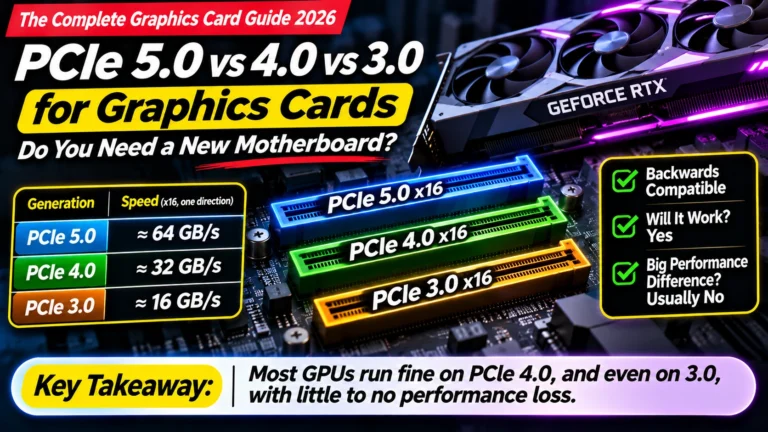
PCI Express (often written PCIe) is the long slot on your motherboard where the graphics card plugs in. “Gen 5” is the newest generation used in home PCs. Each generation roughly doubles the speed of the connection.
The good news: it’s backwards compatible. A Gen 5 card works perfectly well in a Gen 4 or Gen 3 slot. In most cases you’ll lose little or no speed. You do not need a new motherboard just because the box says Gen 5.
You may also hear about “PCIe Gen 6”. It exists, but only for data-centre equipment. No home graphics card uses it in 2026.
How much it matters: for most people, almost not at all.
👉 Full guide: Article 18: PCIe 5.0 vs 4.0 vs 3.0
“Upto 2542 MHz”
This is the clock speed: how many millions of times per second the chip “ticks”. MHz means megahertz. Higher means faster, but only when comparing the same chip.
Two things to know:
- “Upto” is a best case, not a promise. The chip only reaches this speed when it’s cool enough and has enough power. A hot card slows itself down to protect itself.
- You can’t compare MHz across different cards. A cheaper card can show a higher MHz number than a more expensive one and still be slower, because it has fewer “workers” inside.
How much it matters: very little. Between versions of the same card, the difference is usually tiny.
👉 Full guide: Article 14: GPU Clock Speed and OC Edition
“TORX Fan 5.0”
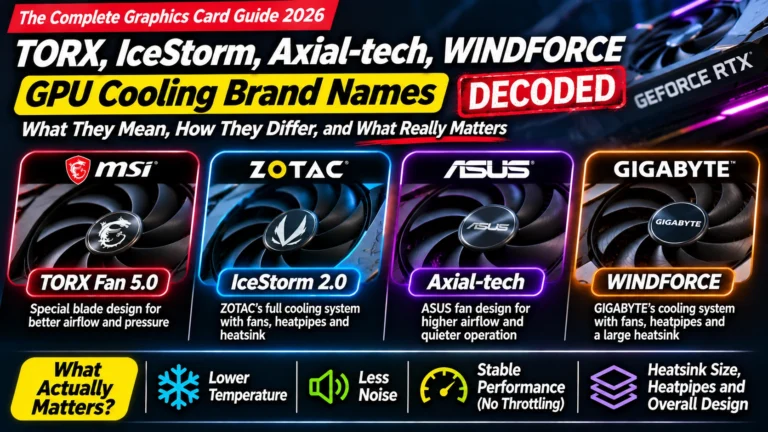
This is MSI’s own name for its fan design. “TORX” is a brand name for the shape of the fan blades, which MSI says pushes more air with less noise. “5.0” is the fifth version of that design.
Every brand has names like this: Zotac has IceStorm, ASUS has Axial-tech, Gigabyte has WINDFORCE. They describe real engineering, but the names themselves are mostly marketing. What actually matters is how big the cooler is and how many fans it has, not what the fans are called.
How much it matters: the name, very little. The size of the cooler, quite a lot, especially in hot Indian summers.
👉 Full guide: Article 17: GPU Cooling Brand Names Decoded
Listing 2: the ASUS Dual RTX 5060 Ti 16 GB
ASUS Dual GeForce RTX 5060 Ti 16GB GDDR7 OC Edition Gaming Graphics Card — Nvidia GeForce RTX5060Ti DLSS 4, 2.5 slot design, PCIe 5.0, 3x DisplayPort 2.1b, 1x HDMI 2.1b
Many words here are the same as before. Let’s look only at the new ones.
“Dual”
ASUS’s basic, two-fan version. The ASUS range goes roughly Dual → Prime → TUF → ROG, from most basic to most premium.
“RTX 5060 Ti”
Same naming system as before: 50 series, 60 level (budget to mid-range). “Ti” means a faster version of the same level, so the RTX 5060 Ti is faster than the plain RTX 5060 but slower than the RTX 5070.
“16GB” (and the 8 GB trap)
This card comes in two memory sizes: 8 GB and 16 GB. On Amazon, both often sit on the same product page, with small buttons to switch between them. The 8 GB version is cheaper, and it’s very easy to click “Buy” on it by mistake.
The 16 GB version is noticeably more useful for AI and video editing. Always check which button is selected before you add the card to your cart.
“OC Edition”
The same as “OC” above: slightly faster out of the box. A small difference.
“DLSS 4”
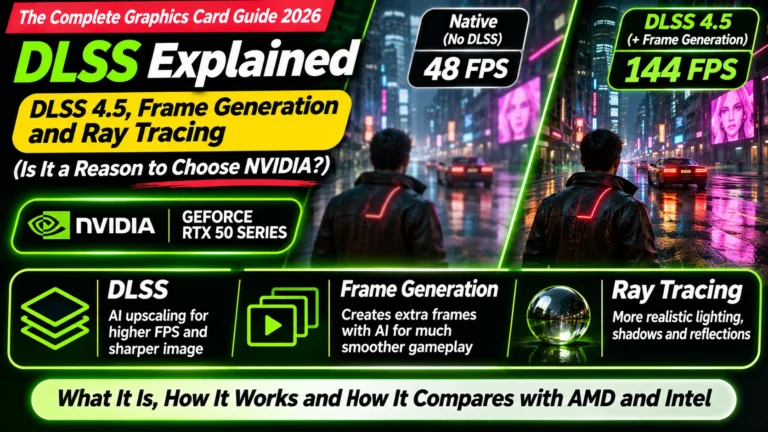
DLSS stands for Deep Learning Super Sampling. It’s an NVIDIA feature that uses AI to make games run faster. The game draws each picture at a lower resolution, then AI sharpens it so it looks almost as good as full quality. DLSS 4 adds “multi frame generation”, where AI creates extra in-between frames so the game looks smoother.
It’s a software feature that comes with every RTX 50 card, so it’s not a reason to pick one RTX 50 version over another. It is a reason some people prefer NVIDIA over AMD for gaming.
👉 Full guide: Article 20: DLSS Explained
“2.5 slot design”
This describes how thick the card is. On the back of a PC cabinet there are metal covers, called slots, for expansion cards. A “2.5-slot” card is thick enough to cover two and a half of them.
Thicker cards usually have bigger coolers, so they run cooler and quieter, but they need more space. Along with the card’s length (often 25–34 cm), this decides whether the card physically fits in your cabinet. Measure before you buy.
👉 Full guide: Article 16: Two Fans or Three? GPU Cooling and Card Size
“PCIe 5.0”
Same as “PCI Express Gen 5” above. One extra detail for this card: the RTX 5060 Ti uses only 8 of the 16 lanes in the slot (written “x8”). On a newer motherboard that doesn’t matter. On an older Gen 3 motherboard it can cost a little more speed than with other cards. This is one of the few cases where the PCIe generation is worth checking.
👉 Full guide: Article 18: PCIe 5.0 vs 4.0 vs 3.0
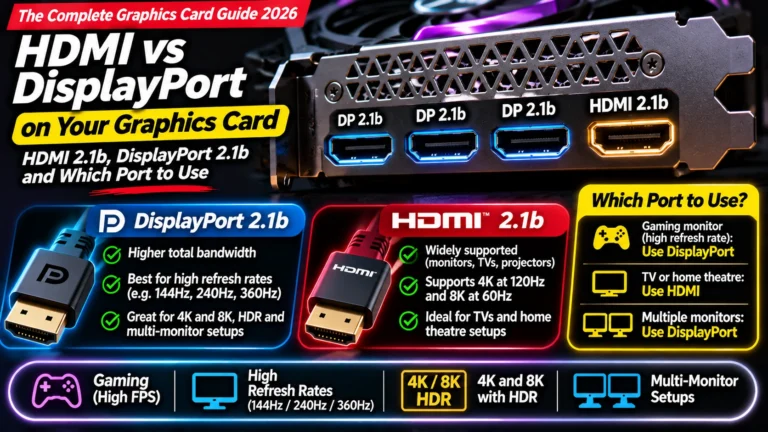
“3x DisplayPort 2.1b, 1x HDMI 2.1b”
These are the sockets on the back of the card where you plug in your monitors: three DisplayPort sockets and one HDMI socket. “2.1b” is the version used on current graphics cards, which supports very high resolutions and refresh rates (a newer HDMI 2.2 standard exists, but cards don’t use it yet).
In practice: you can connect up to four screens, and any modern monitor or TV will work. Use DisplayPort for a gaming monitor if it has one, and HDMI for a TV.
And one mistake many people make: after installing a graphics card, always plug your monitor into the graphics card, not into the socket on the motherboard. Otherwise you’re not using the card at all.
👉 Full guide: Article 19: HDMI vs DisplayPort
Listing 3: the Zotac RTX 5070 AMP White Edition
ZOTAC Gaming GeForce RTX 5070 AMP White Edition DLSS 4 12GB GDDR7 192-bit 28 Gbps PCIE 5.0 Gaming Graphics Card, IceStorm 2.0 Cooling, Spectra RGB Lighting, ZT-B50700FQ-10P
Again, only the new words.
“AMP”
Zotac’s better-than-basic version. Zotac’s range goes roughly Solid / Twin Edge → AMP → AMP Extreme. AMP cards have three fans and a larger cooler than the basic models.
“White Edition”
Exactly what it sounds like: the same card in a white colour, for people building a white-themed PC. It doesn’t change performance. Sometimes the white version is cheaper than the black one, sometimes more expensive, so it’s worth checking both.
“IceStorm 2.0 Cooling”
Zotac’s name for its cooling system: the fans, the metal fins and the heat pipes that carry heat away from the chip. “2.0” is the version. Like MSI’s TORX, it’s a brand name. Judge the cooler by its size and number of fans, not by the name.
👉 Full guide: Article 17: GPU Cooling Brand Names Decoded
“Spectra RGB Lighting”
Zotac’s name for the coloured lights on the card. RGB means the lights can change colour. It looks nice in a glass-sided cabinet and does nothing for performance.
“ZT-B50700FQ-10P”
The manufacturer’s model number: the exact code for this exact card. It’s useful in two ways:
- Comparing prices. Search the code on other shops’ websites to be sure you’re comparing exactly the same product.
- Spotting listing errors. If the description says one thing and the model code says another, trust the code, and look it up on the brand’s own website.
Beyond the title: the rest of the Amazon GPU listing
You now understand the title. But most of the money people lose on Amazon has nothing to do with specifications. It’s in the price block, the seller and the fine print. Here’s what to check, using real examples we saw in November 2026.
The “MRP” and the “% off”
Amazon shows a crossed-out M.R.P. next to the price, and a big percentage discount. On graphics cards, the MRP is often inflated so the discount looks impressive.
For example, we saw an MSI RTX 5070 Shadow 2X listed with an “M.R.P.” of ₹3,10,999 and “60% off”. No RTX 5070 has ever sold anywhere near ₹3 lakh. The discount was meaningless.
What to do: ignore the MRP and the percentage completely. Compare the actual price with what the same card costs at other shops, and with its own price history.
Price history: what the card cost last week
A price-history tracker (such as pricehistory.app, or a browser extension) shows how a product’s price has moved over time. This is the single most useful tool for buying a graphics card in 2026, because prices are changing week to week.
For example, the ASUS Dual RTX 5060 Ti 16 GB above was around ₹85,800 in August 2026, about ₹97,000–1,05,000 from September to mid-November, and then jumped to ₹1,29,400 in late November. Same card, same page, ₹44,000 difference depending on the week you bought it.
What to do: check the price history before buying, and set a price alert at the price you’re willing to pay.
“Sold by”: who is actually selling it
Under the “Buy Now” button, Amazon shows “Ships from” and “Sold by”. These are often different. Amazon may ship the card, but the seller can be a third-party reseller.
When stock is short, resellers raise prices sharply. We saw an MSI RTX 5070 Ti listed at ₹2,15,995, roughly double a fair price, “Sold by” a reseller and not by MSI or Amazon.
What to do: prefer listings sold by Amazon itself, Appario, or the brand’s official store. If the seller is a name you don’t recognise and the price looks high, look for another listing.
“Only 1 left in stock”
This creates urgency, and sometimes it’s true. But on graphics cards in 2026, new stock arrives in batches, and prices often drop when it does. Don’t let “only 1 left” rush you into paying far above the card’s usual price.
“Non-returnable”
Some graphics card listings are marked Non-Returnable. That means if the card is faulty or doesn’t fit your PC, you can’t simply send it back to Amazon. You’ll have to go through the brand’s warranty process instead, which takes longer.
What to do: before buying a non-returnable card, double-check that it fits your cabinet and that your power supply is big enough.
Warranty
Most cards come with a 3-year warranty. Some brands, like Zotac, add extra years if you register the card on their website. Keep your GST invoice; you’ll need it for any warranty claim. And prefer cards sold through the brand’s official Indian distributor, as imported cards can be hard to get repaired in India.
The “Technical Details” table can be wrong
Lower on the page, Amazon shows a “Technical Details” table. It’s filled in by sellers and is not always correct. We saw one RTX 5070 listing whose table claimed it was an “RTX 5070 Ti” with “GDDR6” memory, both wrong.
What to do: when the title, the table and the model number disagree, look up the model number on the brand’s official website.
Reviews from other versions
Amazon often groups several versions (8 GB and 16 GB, black and white, OC and non-OC) on one page, and mixes all their reviews together. A 4.7-star rating may come mostly from a different version than the one you’re buying. Read a few recent reviews and check which version each one mentions.
Same chip, different price: putting it together
Here’s the most important idea in this article.
All RTX 5070 cards, from every brand, use the same NVIDIA chip, the same 12 GB of GDDR7 memory, and the same 192-bit bus. Their real-world speed is within a few percent of each other.
What changes between versions is:
- the cooler (two fans or three, small or large), which affects temperature and noise
- the build quality and looks (metal backplate, RGB lights, white or black)
- the warranty and service
- and the price, which in 2026 can vary by tens of thousands of rupees for what is essentially the same card
So the smart way to shop is:
- Choose the model first, such as RTX 5060 Ti, RTX 5070 or RTX 5070 Ti, based on what you do (gaming, editing, AI).
- Then choose a version with a good cooler, ideally three fans if your cabinet has room.
- Then find the best price from a trusted seller, using price history.
If you’d like to compare a few RTX 5070 versions now, here are some to start with. Check today’s price and seller before buying:
- MSI RTX 5070 Gaming Trio OC: three fans, a good all-rounder
- ASUS TUF RTX 5070 OC: premium build and cooling
- Zotac RTX 5070 AMP White: three fans, white design
- ASUS Prime RTX 5070 OC: compact, mid-range build
- All RTX 5070 listings on Amazon
For official specifications, see NVIDIA’s GeForce RTX 50 series page.
Quick summary
- “RTX 5070” (the model) is the most important part of the title. Choose it first.
- “12GB” is the card’s own memory. More helps with AI and editing; 8 GB is now the minimum.
- “GDDR7”, “192-bit” and “28 Gbps” describe how fast that memory is. They come with the model, so you don’t choose them separately.
- “OC” and “Upto … MHz” make only a tiny difference. Don’t pay much extra for them.
- “TORX”, “IceStorm”, “Axial-tech” are brand names for fans and coolers. Look at the cooler’s size and number of fans instead.
- “PCIe Gen 5” works in older motherboards too.
- “Shadow”, “Dual”, “Solid” are basic versions; “Gaming Trio”, “TUF”, “AMP” are better ones.
- The price block, the seller and the fine print matter more than any spec.
What to look for on Amazon: checklist
Before you click “Buy Now” on any graphics card:
- ☐ Is it the right model (e.g. RTX 5070, not 5060 or 5070 Ti)?
- ☐ Is the right memory size selected (e.g. 16 GB, not 8 GB)?
- ☐ Does the title say GDDR7 for an RTX 5060 or higher? (If not, check carefully.)
- ☐ Is it “Sold by” Amazon, Appario or the brand’s official store?
- ☐ Have you checked the price history, ignoring the MRP and “% off”?
- ☐ Is it marked non-returnable? If so, are you sure it fits?
- ☐ Will it fit your cabinet (length and slot width)?
- ☐ Is your power supply big enough? (See Article 4.)
- ☐ Does the model number match the brand’s official website?
- ☐ Will you get a GST invoice for the warranty?
Where next?
⬅️ Back to The Complete Graphics Card Guide 2026: see all 20 articles
➡️ Next: Article 2: GPU Buying Guide India 2026
🔗 Related: – Article 3: How Much VRAM Do You Need? – Article 11: How to Read GPU Names – Article 17: GPU Cooling Brand Names Decoded