GPU Buying Guide India 2026: The 20 Best Graphics Cards, Fair Prices and Where to Buy
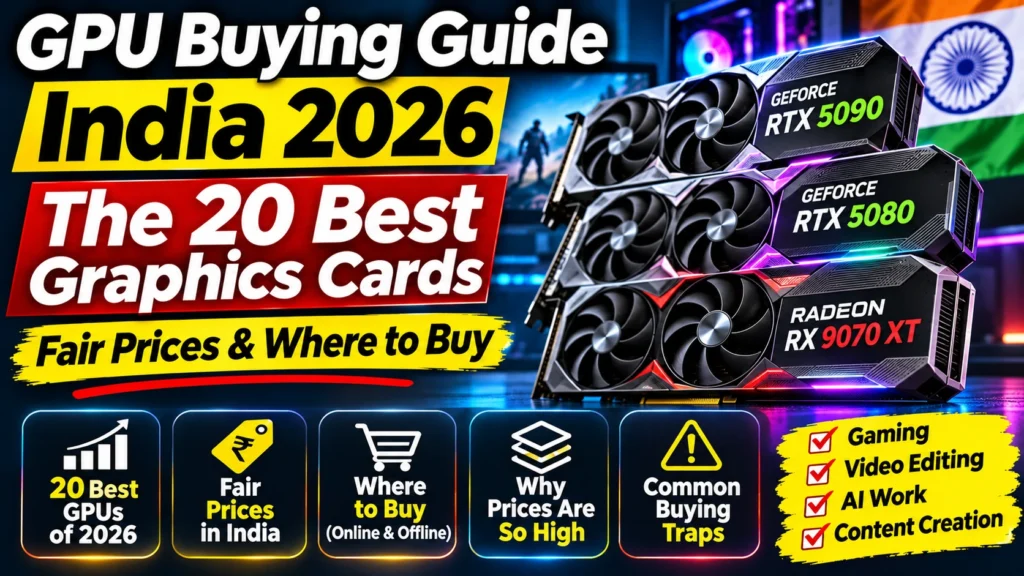
GPU buying guide India 2026: the 20 best graphics cards ranked, fair November 2026 price bands, where to buy, Amazon traps and a compatibility checklist.
📘 Part of The Complete Graphics Card Guide 2026. New here? Start with the guide.
Disclosure: This article contains Amazon affiliate links. If you buy through them, we may earn a small commission at no extra cost to you.
Buying a graphics card in India in 2026 is harder than it should be. Prices change every week, the same card can cost ₹40,000 more on one page than another, and most listings are written in jargon. This GPU buying guide for India cuts through that: the 20 cards that matter, what a fair price looks like right now, where to buy, and the traps that cost people the most money.
I’ve kept the jargon to a minimum. Whenever a technical word comes up, there’s a link to the article in this series that explains it properly.
Why GPU prices in India are so high in 2026
If a card looks absurdly expensive, you’re not imagining it. Three things pushed prices up this year:
- Memory shortage. Graphics cards use special fast memory (GDDR7 on the newest cards). The factories that make it are selling as much as they can to AI data centres, which pay more. Less is left for gaming cards, so it costs more.
- Brands raised prices. In November 2026, several card makers raised the prices they charge shops for RTX 50 series cards.
- India gets less stock. When supply is short, fewer cards are shipped here, and resellers raise prices on what’s left. Reports put Indian GPU price rises at around 30% in a single month, roughly double the global increase.
The US is hit too. The RTX 5070 Ti, which launched at $749, was selling for roughly $1,340 to $1,500 in November 2026. India is simply hit harder.
Should you wait for something newer?
Short answer: no, not if you need a card now.
NVIDIA released no new gaming cards in 2026. The rumoured RTX 50 SUPER refresh was delayed with no confirmed date, and the next big generation (RTX 60) isn’t expected until late 2027 or 2028. AMD and Intel have also been quiet: AMD’s next big generation is reportedly a year or more away, and Intel’s expected Arc B770 was shelved.
That means a card you buy today won’t be “old” in six months. The real question is the price, not the timing. Use price alerts (more on that below) and buy when a card drops back to a fair price.
GPU buying guide India: the 20 best graphics cards of 2026, ranked
Here are the 20 cards worth knowing about, from most to least powerful. The ranking is approximate, because speed varies from game to game and app to app.
About the prices: these are rough lowest-listed prices in India in September–November 2026, from Indian shops and price trackers. They’re meant to show you what “normal” looks like, not to promise a price. Always check today’s price before buying.
About availability: several older cards on this list are no longer sold new in India. I’ve marked them, because you’ll still see them on second-hand sites and in reviews.
| # | Card | Memory | Who it’s for | India price band (approx., Sept–Nov 2026) |
|---|---|---|---|---|
| 1 | NVIDIA RTX 5090 | 32 GB | The fastest card you can buy. 4K gaming, serious AI, professional 3D and video | Very limited stock; check today’s price |
| 2 | NVIDIA RTX 4090 | 24 GB | Last generation’s top card | Not sold new; second-hand only |
| 3 | NVIDIA RTX 5080 | 16 GB | High-end 4K gaming and heavy editing | From about ₹2.4 lakh |
| 4 | NVIDIA RTX 4080 SUPER | 16 GB | Previous-generation high end | Not sold new; second-hand only |
| 5 | AMD RX 7900 XTX | 24 GB | Older AMD flagship with lots of memory | Very limited stock |
| 6 | NVIDIA RTX 5070 Ti | 16 GB | Fast 1440p and 4K, editing, larger AI models, streaming | About ₹1.4 lakh and up (spikes past ₹2 lakh seen) |
| 7 | AMD RX 9070 XT | 16 GB | Best value high-end gaming card | About ₹95,000–1.06 lakh (Sept); stock thin in Nov |
| 8 | NVIDIA RTX 4070 Ti SUPER | 16 GB | Previous-generation upper-mid | Not sold new; second-hand only |
| 9 | AMD RX 9070 | 16 GB | Great 1440p gaming value | About ₹77,000–78,000 |
| 10 | NVIDIA RTX 5070 | 12 GB | The sweet spot for creators and streamers | About ₹86,000–1.2 lakh |
| 11 | NVIDIA RTX 4070 SUPER | 12 GB | Previous-generation equivalent of the 5070 | Not sold new; second-hand only |
| 12 | AMD RX 7800 XT | 16 GB | Older AMD mid-range | Mostly gone from Indian shops |
| 13 | NVIDIA RTX 5060 Ti 16 GB | 16 GB | Budget AI and editing, low power use | About ₹96,000–1.05 lakh (₹1.29 lakh spikes seen) |
| 14 | AMD RX 9060 XT 16 GB | 16 GB | Best budget gaming card | About ₹57,000–67,000 (Sept) |
| 15 | NVIDIA RTX 4060 Ti 16 GB | 16 GB | Previous-generation budget card | Not sold new; second-hand only |
| 16 | NVIDIA RTX 5060 | 8 GB | Entry 1080p gaming | From about ₹60,000 |
| 17 | Intel Arc B580 | 12 GB | Intel’s budget card with generous memory | Hard to find in India |
| 18 | NVIDIA RTX 4060 | 8 GB | Previous-generation entry card | Not sold new; second-hand only |
| 19 | NVIDIA RTX 5050 | 8 GB | The cheapest new NVIDIA card | Listed; check today’s price |
| 20 | NVIDIA RTX 3060 12 GB | 12 GB | Old card still sold in India | About ₹50,000–60,000 (poor value; see below) |
Cards in bold are current models you can actually buy new. AMD also launched a cut-down RX 9070 GRE in 2026; it sits just below the RX 9070, but I couldn’t find it listed in India.
A warning about the RTX 3060
You’ll see the RTX 3060 12 GB everywhere in India, often around ₹50,000. It’s a 2021 card, only slightly faster than the RTX 2060 SUPER many people are upgrading from. At this price, an RX 9060 XT 16 GB is far better for gaming, and saving a little longer for an RTX 5060 Ti 16 GB or RTX 5070 is far better for editing and AI.
Which card should you buy? Our GPU buying guide India quick-pick table
Find what you mainly do and your rough budget. These are my picks for November 2026, given Indian prices and stock.
| You mainly… | Budget (about) | Buy this | Why |
|---|---|---|---|
| Play games | ₹55,000–70,000 | AMD RX 9060 XT 16 GB | Close to RTX 5060 Ti speed in games, for ₹30,000+ less |
| Play games | ₹75,000–80,000 | AMD RX 9070 | Excellent 1440p performance and 16 GB of memory |
| Play games | ₹95,000–1.1 lakh | AMD RX 9070 XT | Nearly RTX 5070 Ti speed for far less |
| Edit videos or stream | ₹85,000–95,000 | NVIDIA RTX 5070 | NVIDIA’s video engine, NVIDIA Broadcast and wide app support |
| Run AI on your PC | ₹95,000–1.05 lakh | NVIDIA RTX 5060 Ti 16 GB | 16 GB of memory for bigger AI models, and AI tools favour NVIDIA |
| Do everything, seriously | ₹1.4 lakh+ | NVIDIA RTX 5070 Ti | 16 GB, fast in games, editing and AI |
| Money is no object | Very high | NVIDIA RTX 5090 | 32 GB and the fastest card available |
Why AMD for games but NVIDIA for everything else?
For pure gaming, AMD’s RX 9000 cards give you more speed per rupee in India right now. Our head-to-heads found the RX 9070 XT nearly matches the RTX 5070 Ti in games for a much lower price (RTX 5070 Ti vs RX 9070 XT), and the same pattern holds lower down (RTX 5070 vs RX 9070, RTX 5060 Ti 16GB vs RX 9060 XT 16GB).
For editing, AI and streaming, NVIDIA is the safer choice. Most AI tools are built around NVIDIA’s CUDA system first. NVIDIA Broadcast (webcam background removal and microphone noise removal) only works on NVIDIA cards. And editing apps like Premiere Pro and DaVinci Resolve make strong use of NVIDIA’s built-in video engine. If you do any of these, the extra cost is usually worth it.
Where to buy a graphics card in India
Online
- Amazon.in and Flipkart. Easy returns on many listings, frequent bank card offers (often 5–10% back), and big sale seasons. But third-party resellers are common, so check who’s selling (see the traps below).
- PC specialist shops: MD Computers, Vedant Computers, PrimeABGB and EliteHubs. They often have more models in stock than Amazon, and are sometimes cheaper. They all deliver across India.
Offline markets
If you prefer to see the card and bargain in person, India’s big computer markets are Nehru Place (Delhi), Lamington Road (Mumbai), SP Road (Bengaluru) and Ritchie Street (Chennai). Most other big cities, including Lucknow, have their own computer market too. Take screenshots of online prices with you; shops will often match them.
Whichever you choose, always get a GST invoice. Your warranty depends on it.
The Amazon traps that cost people the most
Most money lost on graphics cards has nothing to do with specs. It’s lost in the price block and the fine print. These are real examples from November 2026.
1. Fake MRP and “% off”
The crossed-out M.R.P. on graphics cards is often inflated so the discount looks big. We saw an RTX 5070 with an “M.R.P.” of ₹3,10,999 and “60% off”. No RTX 5070 has ever cost anywhere near that. Ignore the MRP and the percentage. Compare the real price only.
2. Third-party resellers
Look at the “Sold by” line under the Buy button. When stock is short, resellers charge whatever they can. We saw an RTX 5070 Ti listed for ₹2,15,995 by a reseller, far above what specialist shops were charging. Prefer Amazon, Appario or the brand’s official store.
3. Short-term price spikes
The same ASUS RTX 5060 Ti 16 GB listing cost about ₹85,800 in August, about ₹97,000–1,05,000 from September to mid-November, and then jumped to ₹1,29,400 within a few days. Always check a price-history tracker before you buy.
4. Basic versions at premium prices
Every brand sells basic and premium versions of the same card (for example MSI Shadow vs Gaming Trio, or ASUS Dual vs TUF). They’re nearly the same speed, but the premium ones have bigger coolers. If a basic version costs the same as a premium one, buy the premium one or keep looking. Our best RTX 5070 Ti and 5070 cards comparison covers which versions are worth paying for.
5. The wrong memory size
Cards like the RTX 5060 Ti come in 8 GB and 16 GB versions on the same Amazon page. It’s easy to click the cheaper 8 GB one by mistake. Check which button is selected before you buy.
6. “Non-returnable” listings
If a listing is non-returnable and the card doesn’t fit your PC, you can’t send it back. You’ll be stuck with the brand’s warranty process. Check the fit and your power supply before buying (see the checklist below).
7. Imported or grey-market cards
Some sellers offer cheaper cards imported from abroad. They often can’t be repaired under warranty in India. Buy cards sold through the brand’s official Indian distributor, and register the card on the brand’s website (some, like Zotac, add extra warranty years when you do).
How to get the best price
- Set price alerts. Use a tracker such as pricehistory.app or a browser extension, and set an alert at the price you’re willing to pay.
- Wait for stock batches. Prices often drop when a new shipment arrives. “Only 1 left in stock” is not a reason to overpay.
- Use bank card offers. Amazon and Flipkart offers often take 5–10% off. On a ₹90,000 card, that’s ₹4,500–9,000.
- Shop during big sales, such as Amazon’s Great Indian Festival and Flipkart’s Big Billion Days.
- Compare three or four shops on the same day. Search the card’s exact model number to be sure you’re comparing the same product.
Will it fit your PC? The compatibility checklist
Check these four things before you buy, especially if you’re upgrading an existing PC.
1. Power supply (PSU)
Your PC’s power supply must be big enough for the new card. Open the side panel and read the wattage on the power supply’s label (or check your PC’s invoice). As a rough guide:
| Card | Power supply needed (about) |
|---|---|
| RTX 5050, RTX 5060, RX 9060 XT | 550 W |
| RTX 5060 Ti | 600 W |
| RTX 5070, RX 9070 | 650 W |
| RTX 5070 Ti, RX 9070 XT | 750 W |
| RTX 5080 | 850 W |
| RTX 5090 | 1,000 W |
A good-brand power supply matters more than a big number on a cheap one. 👉 Full guide: Article 4: Power Supply for Your Graphics Card
2. Card length and thickness
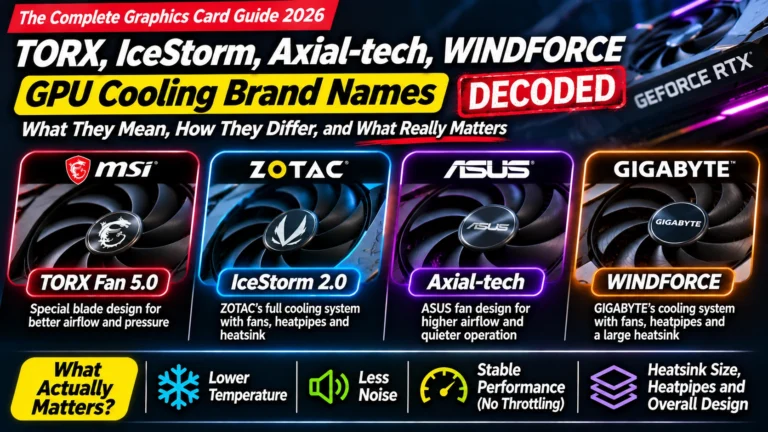
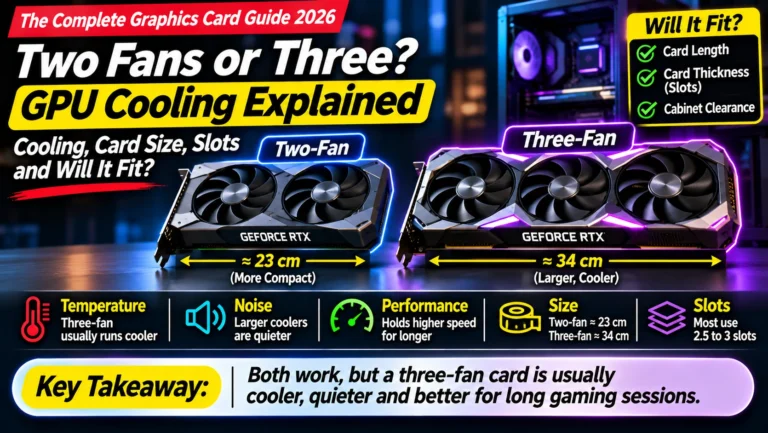
Modern cards can be 25–34 cm long and 2–3.5 slots thick. Measure the space in your cabinet from the back panel to the front (or to the front fans), and compare it with the card’s length on the brand’s website. 👉 Full guide: Article 16: Two Fans or Three? GPU Cooling and Card Size
3. Motherboard slot
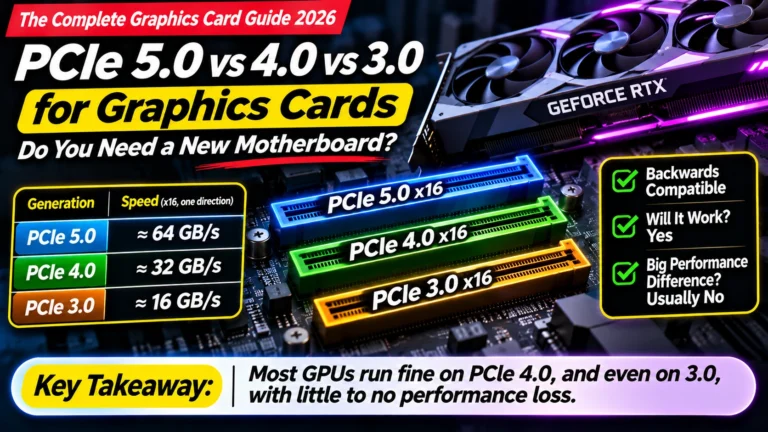
Almost any desktop motherboard with a long PCI Express x16 slot will work. Newer cards work in older slots, usually with little or no loss of speed. 👉 Full guide: Article 18: PCIe 5.0 vs 4.0 vs 3.0
4. Monitor connection
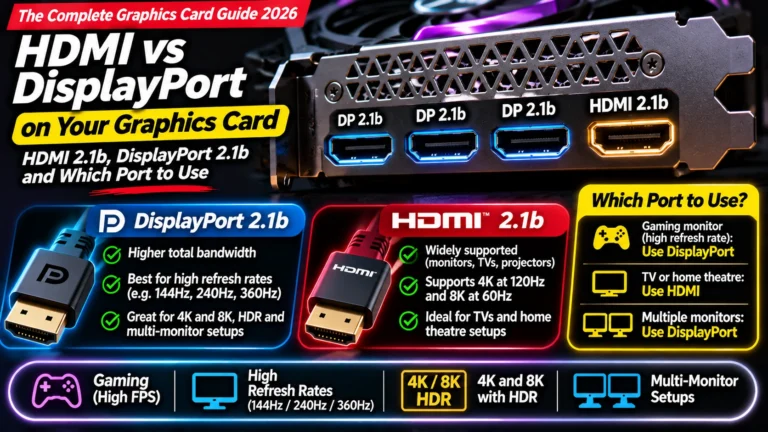
Check that your monitor has an HDMI or DisplayPort input. And after installing the card, plug the monitor into the card, not the motherboard. 👉 Full guide: Article 19: HDMI vs DisplayPort
Installing your new card: the short version
- Uninstall the old graphics driver. For a clean start, many people use a free tool called DDU (Display Driver Uninstaller) in Windows Safe Mode.
- Shut down and unplug the PC. Touch the metal case to discharge static electricity.
- Remove the old card: unscrew it from the back of the cabinet, unplug its power cable, press the small latch on the slot, and pull it out.
- Insert the new card firmly into the top long slot until the latch clicks, and screw it in.
- Connect the power cable(s). On newer NVIDIA cards with a 16-pin connector, push it in all the way until it clicks, and avoid bending the cable sharply near the plug.
- Plug your monitor into the new card, start the PC, and install the latest driver from NVIDIA, AMD or Intel.
If a card is heavy, use the support bracket that often comes in the box to stop it sagging.
Quick summary
- Don’t wait for new models. Nothing big is coming until 2027 at the earliest. Wait for a fair price instead.
- Gamers: AMD’s RX 9060 XT 16 GB, RX 9070 and RX 9070 XT are the best value in India right now.
- Editors, streamers and AI users: NVIDIA’s RTX 5060 Ti 16 GB, RTX 5070 and RTX 5070 Ti are the safer choice.
- Skip the RTX 3060 at today’s prices, and avoid 8 GB cards if you edit or use AI.
- Ignore MRP and “% off”, check “Sold by”, and use price history and alerts.
- Check your power supply, cabinet size and monitor before you buy.
- Get a GST invoice and buy cards with Indian distributor warranty.
What to look for on Amazon: checklist
- ☐ It’s the right model and the right memory size (e.g. 16 GB, not 8 GB)
- ☐ It’s “Sold by” Amazon, Appario or the brand’s official store
- ☐ The price is close to the price history, not a recent spike
- ☐ You’ve ignored the MRP and “% off”
- ☐ It’s not a basic version priced like a premium one
- ☐ It’s not marked non-returnable, or you’re sure it fits
- ☐ Your power supply is big enough
- ☐ The card fits your cabinet (length and thickness)
- ☐ You’ll get a GST invoice and Indian warranty
- ☐ You’ve checked a bank card offer
Check today’s prices
- AMD RX 9060 XT 16 GB
- AMD RX 9070
- AMD RX 9070 XT
- NVIDIA RTX 5060 Ti 16 GB
- NVIDIA RTX 5070 (a good version: MSI RTX 5070 Gaming Trio OC)
- NVIDIA RTX 5070 Ti
- NVIDIA RTX 5080
- NVIDIA RTX 5090
Bottom Line
The short version of this GPU buying guide India: if you only play games, buy an AMD RX 9070 (or the RX 9060 XT 16 GB on a tighter budget). They’re the best value in India in late 2026. If you edit videos, stream or want to run AI, buy an NVIDIA RTX 5070 at around ₹90,000 or less, or an RTX 5060 Ti 16 GB if AI memory matters more to you than speed. Don’t wait for new models; wait for a fair price, and don’t buy from a reseller during a price spike.
Sources
- gputracker.in: GPU price list in India, November 2026
- pricehistory.app: MSI RTX 5070 Gaming Trio OC price history
- Times of Games: GPU prices in India rose 30% in a month
- VideoCardz: global GPU prices up 15%
- Wccftech: RTX 50 price increases in November
- shattered.io: RTX 5070 Ti price jump, November 2026
- TweakTown: RTX 50 SUPER launch on hold
- Tom’s Hardware: no new RTX gaming GPUs in 2026
- XDA: Intel Arc B770 shelved
- Tom’s Hardware: best graphics cards for gaming in 2026
- NVIDIA GeForce RTX 50 series (official)
- AMD Radeon graphics cards (official)
Where next?
⬅️ Back to The Complete Graphics Card Guide 2026: see all 20 articles
➡️ Next: Article 3: How Much VRAM Do You Need?
🔗 Related: – Article 1: Decoding an Amazon GPU Listing – RTX 5070 Ti vs RX 9070 XT – RTX 5070 vs RX 9070