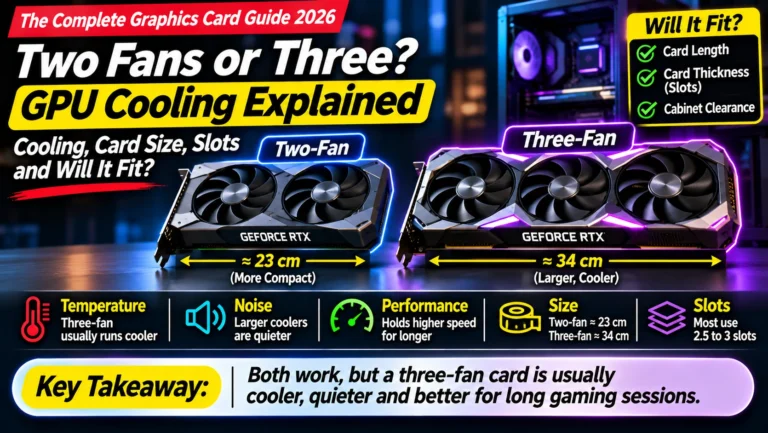
Power Supply for Your Graphics Card: How Many Watts You Need, PSU Sizes and the 16-Pin Connector
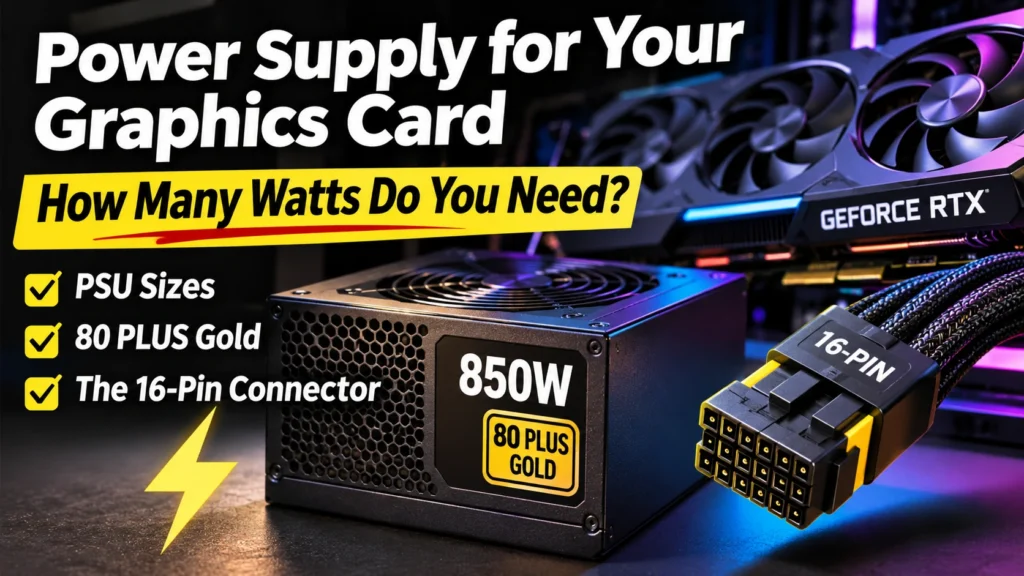
What power supply for your graphics card? Official watts for every RTX 50 card, the PSU size you need, 80 PLUS ratings, 16-pin safety and your electricity bill.
📘 Part of The Complete Graphics Card Guide 2026. New here? Start with the guide.
Disclosure: This article contains Amazon affiliate links. If you buy through them, we may earn a small commission at no extra cost to you.
When people upgrade their graphics card, the part they forget is the power supply. Then the new card arrives, the PC shuts down halfway through a game, and they don’t know why. Choosing the right power supply for your graphics card is simple once you know three numbers, and this article walks you through them.
We’ll cover how much power each card actually uses (with NVIDIA’s official figures), what size power supply you need, how to check the one you already have, what “80 PLUS Gold” means, how to connect the new 16-pin cable safely, and what a graphics card adds to your electricity bill.
What a power supply does
The power supply (often called the PSU, for power supply unit) is the metal box inside your PC, usually at the bottom back, where the main power cable plugs in. It takes electricity from your wall socket and converts it into the steady, low voltages your PC’s parts need.
Think of it as the water tank for a house. Every tap (the processor, the graphics card, the drives, the fans) draws from it. If the tank is too small, the taps run dry when everyone uses water at once. In a PC, that “running dry” means sudden shutdowns or restarts, usually right when the graphics card is working hardest.
The PSU’s wattage (for example 650 W or 750 W) is the size of the tank: the most power it can safely deliver at once.
How much power does a graphics card use?
Every graphics card has a power rating. NVIDIA calls it Total Graphics Power (TGP), and AMD calls it Total Board Power (TBP). Both mean the same thing: roughly how many watts the card draws when it’s working flat out.
NVIDIA also publishes a Required System Power: the size of power supply it recommends for a whole PC built around that card. Here are the official figures from NVIDIA’s own spec pages:
| Card | Card’s own power (TGP) | NVIDIA’s recommended PSU |
|---|---|---|
| RTX 5050 | 130 W | 550 W |
| RTX 5060 | 145 W | 550 W |
| RTX 5060 Ti (8 GB and 16 GB) | 180 W | 600 W |
| RTX 5070 | 250 W | 650 W |
| RTX 5070 Ti | 300 W | 750 W |
| RTX 5080 | 360 W | 850 W |
| RTX 5090 | 575 W | 1,000 W |
Source: NVIDIA’s RTX 5090, RTX 5080, RTX 5070 family, RTX 5060 family and RTX 5050 pages.
For AMD cards, power supply makers give similar guidance: the RX 9070 XT (about 304 W) needs a 750 W power supply, the RX 9070 (about 220 W) a 650 W one, and the RX 9060 XT (about 150–160 W) is comfortable on 550–600 W (Corsair, MSI).
Why the recommended PSU is so much bigger than the card
The recommended PSU is two to three times the card’s own power. That’s not a mistake. The power supply has to feed the whole PC: the processor (which can draw 150–250 W on its own in a fast desktop), the motherboard, memory, drives and fans.
There’s a second reason too: power spikes. Modern graphics cards briefly jump well above their rated power for tiny fractions of a second. MSI found the RX 9070 XT’s spikes going far beyond its average draw. A power supply with some headroom absorbs those spikes; one that’s too small can trip its safety protection and switch the PC off.
NVIDIA’s numbers assume a PC with a top-end processor, so they include a healthy safety margin. If your processor is a mid-range one, you have a little extra headroom, but I’d still follow NVIDIA’s figure. A power supply is the one part you don’t want to cut close.
What size power supply for your graphics card?
Here’s the simple rule: use NVIDIA’s (or the brand’s) recommended system power, and if you’re between two sizes, go one step up.
| If you’re buying… | Buy at least |
|---|---|
| RTX 5050, RTX 5060, RX 9060 XT | 550–600 W |
| RTX 5060 Ti | 600–650 W |
| RTX 5070, RX 9070 | 650–750 W |
| RTX 5070 Ti, RX 9070 XT | 750 W |
| RTX 5080 | 850 W |
| RTX 5090 | 1,000 W |
Going a step up has three benefits: room for a future card upgrade, cooler and quieter running (the PSU’s fan spins less when it isn’t working near its limit), and better efficiency, since most power supplies are most efficient at around half load.
How to check the power supply you already have
You can’t read a power supply’s wattage in Windows. You have to look at its label. Here’s how:
- Check your invoice first. If a shop built your PC, the bill usually names the power supply, for example “Corsair CV650” or “Deepcool PK750D”. The number in the name is often the wattage.
- Otherwise, look inside. Shut down the PC and unplug it from the wall. Remove the side panel (usually two screws at the back).
- Find the power supply at the bottom back of the cabinet. It may be hidden under a metal cover.
- Read the sticker on its side. Look for a number followed by W, such as 550W, 650W or 750W. Note the brand and model too.
- If the sticker faces downwards or is hard to read, take a photo with your phone’s flash.
⚠️ Never open the power supply box itself. It stores dangerous electricity even when unplugged. Only read the outside label.
If your PC came from a big brand (Dell, HP, Lenovo), check carefully: these often use smaller, custom power supplies with limited cables, and may not support a powerful new card at all.
Choosing a quality power supply for your graphics card: 80 PLUS ratings
Not all 650 W power supplies are equal. A cheap, unbranded unit that claims “750 W” can be less safe than a good-brand 650 W one.
The 80 PLUS badge tells you how efficient a power supply is: how much of the electricity it takes from the wall actually reaches your PC, rather than being wasted as heat. The higher the badge, the less waste:
- 80 PLUS White / Bronze: basic efficiency, fine for budget builds
- 80 PLUS Gold: the sweet spot for most gaming and creator PCs
- 80 PLUS Platinum / Titanium: very efficient, usually expensive
Efficiency isn’t the same as quality, but Gold-rated units from well-known brands (such as Corsair, Seasonic, Cooler Master, MSI, Deepcool and Antec) are generally a safe choice. Look for a warranty of at least five years: brands that trust their power supplies offer long warranties.
My recommendation: for a new graphics card in 2026, buy an 80 PLUS Gold power supply from a known brand, sized from the table above.
The new 16-pin power connector, and how to use it safely
Graphics cards need extra power beyond what the motherboard slot provides, delivered through cables from the power supply.
- 8-pin connectors are the older, familiar type. Bigger cards need two, three or even four of them.
- The 16-pin connector, officially called 12V-2×6 (an updated version of the earlier 12VHPWR), is a single, smaller plug that can carry up to 600 W. Most RTX 50 cards from NVIDIA’s own design use it, and many brand versions do too. Some cards, especially many AMD ones, still use 8-pin.
NVIDIA’s spec pages list both options for each card: for example the RTX 5070 accepts two 8-pin cables through the adapter in the box, or one 16-pin cable directly from a newer power supply.
Why people worry about the 16-pin connector
You may have read about 16-pin connectors melting. It’s real, but it’s concentrated at the very top end. Most reports involve the RTX 5090, which draws 575 W, very close to the connector’s 600 W limit, leaving almost no safety margin. Reports continued into 2026, including some cards that were power-limited (Tom’s Hardware, TechPowerUp).
A mid-range card like the RTX 5070 (250 W) uses well under half the connector’s capacity, so the risk is much lower. Still, follow these rules with any 16-pin card:
- Push the plug in all the way until it clicks, at both ends. A half-seated plug is the most common cause of trouble. Look closely: there should be no gap.
- Use the cable that came with your power supply if it has a native 16-pin cable. If you must use the adapter in the graphics card’s box, connect every 8-pin plug it needs, each from a separate cable if possible.
- Don’t bend the cable sharply near the plug. Leave a few centimetres straight before any bend.
- Prefer an ATX 3.1 power supply (NVIDIA asks for “PCIe CEM 5.1 compliant”). These are designed for newer cards, come with a native 16-pin cable, and handle power spikes better.
- Check the plug occasionally for any brown discoloration or a burning smell. If you see either, stop using the PC and contact the card’s brand.
What “ATX 3.0” and “ATX 3.1” mean
ATX is the standard that defines how PC power supplies work. ATX 3.0 and 3.1 are the newer versions built for modern graphics cards: they include the 16-pin cable and are designed to survive short power spikes. If you’re buying a new power supply in 2026, choose ATX 3.1.
What a graphics card adds to your electricity bill
People in India often ask this, so here’s a simple way to work it out.
Electricity is billed in units, and 1 unit = 1 kilowatt-hour (1,000 watts used for one hour). Household rates vary by state, but most urban homes pay roughly ₹5–7 per unit (nobroker).
Example: a whole PC with an RTX 5070 might draw about 400 W while gaming or exporting video.
- 400 W × 4 hours a day = 1,600 Wh = 1.6 units a day
- 1.6 units × 30 days = 48 units a month
- 48 units × ₹5–7 = about ₹240–340 a month
At idle (browsing, typing), the same PC uses far less. So for most people, a mid-range graphics card adds a few hundred rupees a month at most. A high-end card used heavily every day adds more, and with slab-based tariffs, extra usage can push you into a higher rate.
Real example: a card running at its power limit
A streaming PC I looked at recently had an RTX 2060 SUPER, rated at 175 W. While running NVIDIA Broadcast’s background removal and OBS, the card sat at 164–173 W and 74–84 °C: basically at its limit all the time. The power supply coped, but the card had no headroom left, which showed up as lag.
That’s a useful lesson: a card running at its power limit all day runs hot and loud, and the PC behind it needs a power supply with room to spare.
Quick summary
- Your power supply feeds the whole PC, so it must be much bigger than the graphics card’s own power.
- Use the recommended system power: 550 W (RTX 5050/5060), 600 W (5060 Ti), 650 W (5070), 750 W (5070 Ti, RX 9070 XT), 850 W (5080), 1,000 W (5090).
- Check your current PSU by reading the label inside the PC or your invoice. Never open the PSU itself.
- Buy 80 PLUS Gold, ATX 3.1, from a known brand, with a five-year or longer warranty.
- 16-pin connector: push it fully in, don’t bend it sharply, use the PSU’s own cable where possible.
- Electricity cost: a mid-range gaming PC adds roughly ₹240–340 a month at four hours a day.
What to look for on Amazon: checklist
When buying a power supply: – ☐ Wattage matches or exceeds your card’s recommended system power – ☐ 80 PLUS Gold (or better) badge – ☐ ATX 3.1 (or at least ATX 3.0), especially for RTX 50 cards – ☐ A native 12V-2×6 / 16-pin cable if your card uses one – ☐ A known brand and a 5-year or longer warranty – ☐ Sold by Amazon, Appario or the brand’s official store
When buying a graphics card: – ☐ You know your current PSU’s wattage from the label or invoice – ☐ You’ve checked which power connectors the card needs (8-pin or 16-pin) on the brand’s website
Check today’s prices
- 650 W 80 PLUS Gold power supplies (for RTX 5060 Ti, RTX 5070)
- 750 W 80 PLUS Gold ATX 3.1 power supplies (for RTX 5070 Ti, RX 9070 XT)
- 850 W 80 PLUS Gold ATX 3.1 power supplies (for RTX 5080)
Choosing a card and a power supply together? See Article 2: GPU Buying Guide India 2026, and our head-to-heads like RTX 5070 Ti vs RX 9070 XT, which also compare power draw.
Bottom Line
The right power supply for your graphics card is the one that matches the card’s recommended system power, comes from a known brand, and carries an 80 PLUS Gold badge. For most people buying an RTX 5070 or RX 9070 in 2026, that means a 750 W, 80 PLUS Gold, ATX 3.1 unit: enough for today’s card, with room for the next one. Check your existing power supply’s label before you buy a new card, and if it’s under the recommended wattage or an unbranded unit, budget for a new one.
Sources
- NVIDIA: GeForce RTX 5090 specifications
- NVIDIA: GeForce RTX 5080 specifications
- NVIDIA: GeForce RTX 5070 family specifications
- NVIDIA: GeForce RTX 5060 family specifications
- NVIDIA: GeForce RTX 5050 specifications
- Corsair: AMD RX 9070 and 9070 XT, everything you need to know
- MSI: best PSU for the AMD RX 9070 XT
- Tom’s Hardware: why power connectors are melting and how to safeguard against it
- TechPowerUp: RTX 5090 melts 12V-2×6 connector despite power limit (Feb 2026)
- NoBroker: electricity rate per unit in India
Where next?
⬅️ Back to The Complete Graphics Card Guide 2026: see all 20 articles
➡️ Next: Article 5: Best Graphics Card for Video Editing
🔗 Related: – Article 2: GPU Buying Guide India 2026 – Article 3: How Much VRAM Do You Need? – Article 16: Two Fans or Three? GPU Cooling and Card Size