DLSS Explained: DLSS 4.5, Frame Generation and Ray Tracing (Is It a Reason to Choose NVIDIA?)
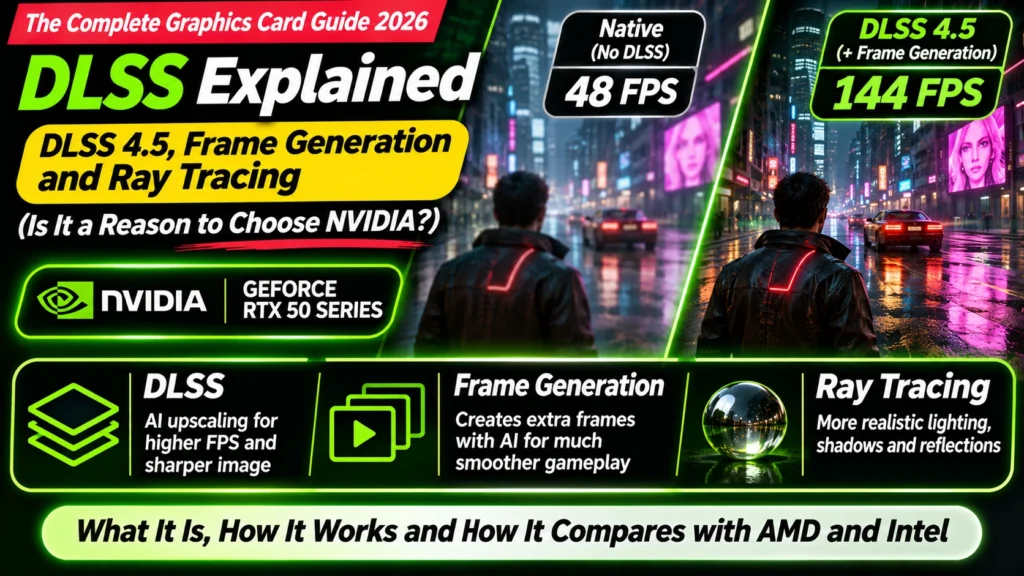
DLSS explained simply: upscaling, DLSS 4.5 multi frame generation, ray tracing, Reflex and input lag, plus how AMD FSR 4 and Intel XeSS compare in 2026.
📘 Part of The Complete Graphics Card Guide 2026. New here? Start with the guide.
Disclosure: This article contains Amazon affiliate links. If you buy through them, we may earn a small commission at no extra cost to you.
“DLSS 4” appears on almost every RTX 50 listing, and NVIDIA’s marketing promises frame rates that seem impossible. How can an RTX 5070 claim performance like a far more expensive card? The answer is AI: software features that make games look sharper and run faster than the graphics card could manage alone. This article is DLSS explained in plain language, along with frame generation, ray tracing and AMD’s and Intel’s alternatives, so you can decide how much they should matter when you buy.
First, ray tracing: the reason games got so demanding
Ray tracing is a way of drawing light realistically. Instead of using shortcuts to fake shadows and reflections, the game simulates rays of light bouncing around the scene: reflections in puddles and windows, soft shadows, light spilling through a doorway. Path tracing is the most complete (and most demanding) version, used in games like Cyberpunk 2077’s “Overdrive” mode.
It looks fantastic, but it’s extremely heavy. Even powerful graphics cards struggle to run full ray tracing at high resolutions on their own. NVIDIA’s cards have special RT cores for it (see Article 15: CUDA, Tensor and RT Cores Explained), and they generally lead AMD when ray tracing is switched on.
That’s where AI comes in: to make ray tracing (and demanding games in general) run at playable frame rates.
DLSS explained: draw fewer pixels, let AI fill in the rest
The idea behind DLSS (Deep Learning Super Sampling) is simple:
- The game draws each frame at a lower resolution, for example 1080p instead of 4K. That’s much less work, so it runs much faster.
- An AI model, running on the card’s Tensor cores, rebuilds the image at your monitor’s full resolution, adding back the detail.
The result looks close to (and sometimes sharper than) drawing at full resolution, but runs much faster. Think of it like a skilled artist who can look at a smaller sketch and paint a full-size, detailed version of it.
You’ll usually choose a mode in the game’s settings: – Quality: renders at a slightly lower resolution; best image, smaller speed gain – Balanced and Performance: lower internal resolution; bigger speed gains – Ultra Performance: for very high resolutions like 8K
DLSS 4.5, announced at CES 2026, upgraded the upscaling AI to a “2nd generation transformer model” for better image quality, and NVIDIA says it works on all RTX graphics cards, not just the newest ones (NVIDIA).
DLSS explained, part two: frame generation and AI-made extra frames
Frame generation goes further. Instead of only sharpening each frame, the AI creates whole new frames in between the ones the game actually draws. The game draws frame 1 and frame 2; the AI invents what’s likely in between and slots it in, so your screen shows more frames per second.
- Frame generation (2x): one AI frame for every real frame (RTX 40 and 50).
- Multi Frame Generation (up to 4x): up to three AI frames per real frame, introduced with the RTX 50 series in DLSS 4.
- DLSS 4.5 (2026): adds a 6x mode and Dynamic Multi Frame Generation, which automatically adjusts between 1x and 6x to reach a target frame rate for your monitor. Both are RTX 50 only, because they need hardware NVIDIA added in that generation (TechPowerUp). They arrived through the NVIDIA app in March 2026 (NVIDIA).
This is how NVIDIA can show huge frame-rate numbers in its marketing: many of those frames are generated by AI.
The catch: smoother, but not more responsive
Frame generation makes motion look smoother, but it doesn’t make the game respond faster. Your mouse and keyboard input are still tied to the frames the game actually draws (the “base” frame rate) (Tom’s Hardware).
For example, 240 frames per second with 6x frame generation means the game is really running at about 40 frames per second underneath (NoobFeed). It will look smooth, but it can feel sluggish in fast games.
Practical advice: – Frame generation works best when the game already runs reasonably well without it. Many reviewers use about 60 frames per second as a rough starting point, though it’s a rule of thumb rather than an official requirement. – It’s great for single-player, cinematic games (open-world adventures, racing, flight sims). – Switch it off for competitive shooters like Valorant or CS2, where responsiveness matters most. Those games run at high frame rates natively anyway.
NVIDIA Reflex
Reflex is an NVIDIA feature that reduces input lag by cutting delays in the rendering process. Games with frame generation usually switch it on automatically. It helps, but it can’t make AI-generated frames feel as responsive as real ones (Destructoid). It’s also worth turning on in competitive games without frame generation.
What AMD and Intel offer
AMD FSR 4 and “Redstone”
AMD’s equivalent is FSR (FidelityFX Super Resolution). FSR 4 uses AI for upscaling, and AMD’s “Redstone” update added AI frame generation. Reviewers found the quality good, but with limits (PC Gamer, Tom’s Guide):
- The AI features work only on AMD’s newest RX 9000 cards.
- Frame generation was limited to 2x, while AMD’s multi-frame generation was reported as “imminent” in April 2026 (Wccftech).
- It’s supported in fewer games than DLSS: around 30 games for AI frame generation at the time of those reviews.
Older, non-AI versions of FSR work on almost any graphics card, including NVIDIA’s, but look noticeably worse than DLSS or FSR 4.
Intel XeSS
Intel’s XeSS does AI upscaling, and XeSS 3 added multi frame generation of up to 4x on Intel Arc graphics. It works best on Intel’s own cards. Fewer games support it than DLSS.
How much should this affect what you buy?
| You… | How much it matters | Advice |
|---|---|---|
| Play single-player AAA games with ray tracing | A lot | NVIDIA RTX 50: DLSS 4.5 and multi frame generation are a real advantage |
| Want 4K or very high refresh rates in demanding games | A lot | DLSS upscaling makes this practical on mid-range cards |
| Play mostly esports games | Little | These run fast natively; frame generation should be off anyway |
| Play without ray tracing, value raw speed per rupee | Some | AMD’s RX 9000 with FSR 4 is a strong value alternative |
| Edit, stream or run AI | Little for these features | Choose NVIDIA for other reasons (see Articles 5, 6, 8) |
Be careful with marketing numbers. When a company says a mid-range card matches a much more expensive one, check whether that’s with multi frame generation switched on. Compare cards on independent benchmarks without frame generation first, then treat DLSS as a bonus.
How to set it up
- Update your graphics driver (NVIDIA app or AMD Software).
- In a game’s graphics settings, find the upscaling option (DLSS, FSR or XeSS) and start with Quality mode.
- If you want more smoothness in a single-player game and it already runs at a decent frame rate, turn on Frame Generation.
- Make sure Reflex (or AMD’s Anti-Lag) is on.
- On RTX 50 cards, the NVIDIA app lets you set DLSS overrides, including Dynamic Multi Frame Generation, for supported games.
Quick summary
- Ray tracing makes lighting realistic but is extremely demanding; NVIDIA leads in it.
- DLSS upscaling draws frames at a lower resolution and uses AI to rebuild them at full resolution: faster with little visible loss. DLSS 4.5’s improved model works on all RTX cards.
- Frame generation adds AI-made frames for smoother motion: up to 4x on RTX 50 with DLSS 4, and up to 6x with DLSS 4.5 (RTX 50 only).
- It doesn’t reduce input lag. Use it in single-player games that already run well; turn it off in competitive shooters.
- AMD FSR 4 is good but limited to RX 9000 cards and fewer games; Intel XeSS 3 has frame generation on Arc.
- Compare cards without frame generation first; treat DLSS as a bonus.
What to look for on Amazon: checklist
- ☐ For ray tracing and DLSS 4.5 multi frame generation, it’s an RTX 50 card
- ☐ You’ve compared benchmarks without frame generation, not just marketing numbers
- ☐ For AMD, it’s an RX 9000 card if you want FSR 4’s AI features
- ☐ You know frame generation is for single-player games, not competitive shooters
Shop
- Best ray tracing and DLSS value: NVIDIA RTX 5070 · RTX 5070 Ti
- Best raw value with FSR 4: AMD RX 9070 · RX 9070 XT
- Head-to-heads with ray tracing results: RTX 5070 vs RX 9070 · RTX 5070 Ti vs RX 9070 XT
Bottom Line
With DLSS explained, the picture is clear: AI upscaling and frame generation are genuinely useful, and NVIDIA’s are the most advanced and most widely supported in 2026. If you play demanding single-player games with ray tracing, DLSS 4.5 on an RTX 50 card is a real reason to choose NVIDIA. But frame generation makes games smoother, not more responsive, and marketing numbers often include it. Compare cards on real benchmarks first; if you mostly play esports or switch ray tracing off, AMD’s RX 9000 cards with FSR 4 remain the better value.
Sources
- NVIDIA: DLSS 4.5 with 2nd-gen transformer Super Resolution and 6x Dynamic Multi Frame Generation
- NVIDIA: DLSS 4.5 Dynamic Multi Frame Generation available in the NVIDIA app
- TechPowerUp: DLSS 4.5 Dynamic Multi Frame Generation and 6x mode arrive
- Tom’s Hardware: input latency and frame generation
- NoobFeed: DLSS multi frame generation and latency
- Destructoid: NVIDIA Reflex explained
- PC Gamer: FSR Redstone tested
- Tom’s Guide: AMD FSR Redstone explained
- Wccftech: AMD FSR multi frame generation imminent (April 2026)
Where next?
⬅️ Back to The Complete Graphics Card Guide 2026: see all 20 articles
🎉 You’ve reached the end of the series. Ready to buy? Start with Article 2: GPU Buying Guide India 2026.
🔗 Related: – Article 7: Best Graphics Card for Gaming – Article 15: CUDA, Tensor and RT Cores Explained – Article 1: Decoding an Amazon GPU Listing