MacBook Air (M5) vs Dell XPS 14 (2026): Which Premium Laptop Wins?
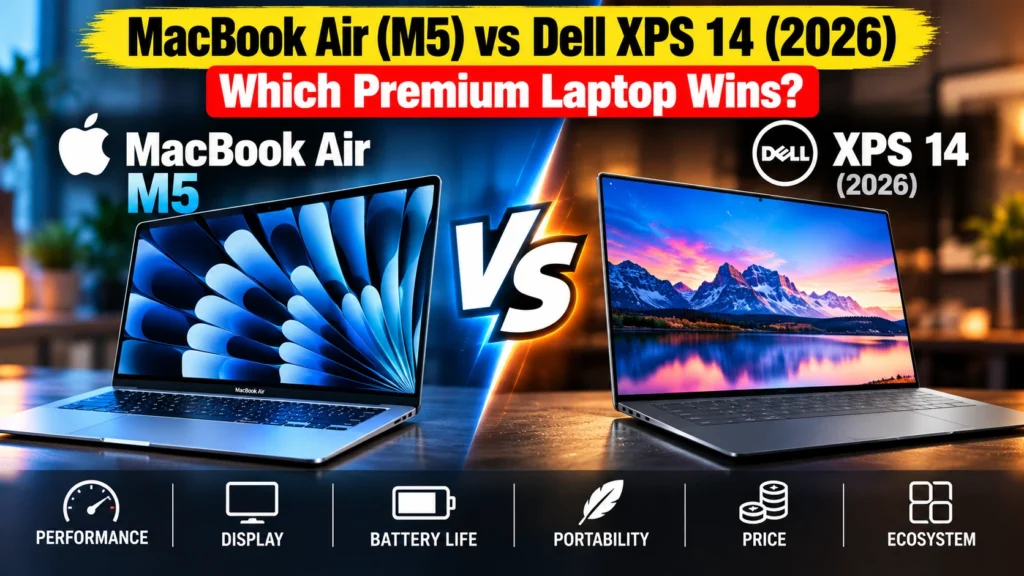
MacBook Air M5 vs Dell XPS 14 (2026) compared: performance, battery life, display, build and ports, and which premium laptop is the better buy for you.
Part of our Phone and Laptop Brands Compared: The Complete Guide guide.
The MacBook Air M5 vs Dell XPS 14 (2026) is the premium thin-and-light decision for most people this year, and my verdict is this: buy the MacBook Air M5 unless you need Windows. It is lighter, cheaper, faster in everyday single-core work, and its base model has far stronger graphics than the base XPS.
The Dell XPS 14 is the better pick if you live in Windows, want an OLED screen, or care most about battery life. In independent testing it ran more than five hours longer than the Air on a charge, and its fans let it hold full speed through long exports that make the fanless Air slow down.
This article contains Amazon affiliate links. As an Amazon Associate, Top Tech Compare earns from qualifying purchases, at no extra cost to you.
Quick Verdict
- Buy the MacBook Air M5 if you want the lightest, quietest laptop with the fastest everyday feel, you use an iPhone, or you are a student or professional on a budget who can work in macOS.
- Buy the Dell XPS 14 if you need Windows for work software or PC games, want the tandem OLED display, need a third USB-C port, or want the longest battery life you can get in a premium 14-inch laptop.
MacBook Air M5 vs Dell XPS 14: Specs and Prices
These are the models most people will actually compare: the base 13-inch MacBook Air and the XPS 14 in its common configurations. If Apple Silicon and Intel’s new naming are unfamiliar, our explainers on Apple M-series chips and Intel Core Ultra cover the basics.
| Spec | MacBook Air 13-inch (M5) | Dell XPS 14 (2026) |
|---|---|---|
| Processor | Apple M5, 10-core CPU | Intel Core Ultra Series 3, from Core Ultra 5 325 up to Core Ultra X9 388H |
| Graphics | 10-core Apple GPU (integrated) | Intel integrated graphics; Arc graphics on X7 and X9 chips |
| Memory and storage (base) | 16GB, 512GB SSD | 16GB, 512GB SSD |
| Display | 13.6-inch IPS, 2560 x 1664, 60Hz | 14-inch IPS, 1920 x 1200, 1 to 120Hz; or 14-inch 2880 x 1800 tandem OLED touch |
| Cooling | Fanless | Fans |
| Ports | MagSafe 3, 2x Thunderbolt 4, 3.5mm jack | 3x Thunderbolt 4, 3.5mm jack |
| Battery | 53.8Wh | 70Wh |
| Weight | 1.23 kg (2.7 lb) | About 1.36 kg (3 lb) |
| Wireless | Wi-Fi 7, Bluetooth 6 | Wi-Fi 7, Bluetooth 6 |
| US starting price | $1,299 (raised from $1,099 in June 2026) | $1,599 at launch |
| India starting price | ₹1,49,900 (raised from ₹1,19,900 in June 2026) | ₹2,05,990 at launch |
Prices are approximate and were checked in September 2026. Apple raised Mac prices worldwide on June 25, 2026, blaming the memory shortage caused by AI data center demand, so older reviews quoting $1,099 or ₹1,19,900 for the Air are out of date.
Check current prices: Apple MacBook Air M5 on Amazon.in and Dell XPS 14 on Amazon.in.
Performance: The Air Feels Faster, the XPS Lasts Longer Under Load
For the things most people do all day (browsing, documents, email, video calls), single-core speed is what makes a laptop feel quick. Here Apple is well ahead. Tom’s Hardware measured the MacBook Air M5 at 4,168 single-core and 17,067 multi-core in Geekbench 6. Tom’s Guide measured the XPS 14 with a Core Ultra X7 358H at 2,867 single-core and 16,927 multi-core.
So multi-core performance, which matters for video exports and code compiles, is roughly a tie. Single-core, the Air is about 45% faster.
| Test | MacBook Air M5 | Dell XPS 14 (Core Ultra X7 358H) |
|---|---|---|
| Geekbench 6 single-core | 4,168 | 2,867 |
| Geekbench 6 multi-core | 17,067 | 16,927 |
| Handbrake 4K to 1080p transcode (lower is better) | 4:41 | 4:32 |
Air results from Tom’s Hardware; XPS 14 results from Tom’s Guide. Both run a similar Handbrake 4K-to-1080p test, but they are separate reviews, so treat small gaps as a tie.
The bigger difference shows up in long jobs. The Air has no fan, so it slows itself down to stay cool. In Tom’s Hardware’s repeated Cinebench stress test, the M5 started at a score of 3,415 and settled in the low 2,300s, a drop of roughly a third. (This is thermal throttling, and it is normal for a fanless laptop.) The XPS 14 has fans, so it can hold its speed for longer, at the cost of some audible noise when it works hard.
In daily use you will not notice the throttling. If you regularly export long 4K videos or compile big projects, you will.
Graphics and Gaming: Pick Your XPS Chip Carefully
This is the part most buyers get wrong. The XPS 14’s graphics depend heavily on which Intel chip you buy.
Tom’s Hardware ran 3DMark Steel Nomad on the MacBook Air M5 and on an XPS 14 with the lower-tier Core Ultra 7 355. The Air scored 1,005. The XPS scored 532, about half. The Air’s 10-core GPU is simply much stronger than the basic Intel graphics in the cheaper XPS configurations.
The Core Ultra X7 and X9 chips are different. They use Intel’s much larger Arc integrated graphics, and Tom’s Guide called Panther Lake’s graphics strong enough for real gaming on an integrated chip. If you want to play games or edit video on the XPS, pay for an X-series chip. If you buy a Core Ultra 5 or Core Ultra 7 model, expect weaker graphics than the Air.
For gaming specifically, Windows still wins on game compatibility. Many popular PC games, including most with anti-cheat, simply do not run on macOS. A faster Mac GPU does not help if the game is not available.
Battery Life: A Clear Win for the XPS 14
The old rule was that MacBooks always win on battery. Not this time.
In Tom’s Hardware’s battery test (web browsing, video streaming and light graphics work at 150 nits), the MacBook Air M5 lasted 15 hours 28 minutes. The Dell XPS 14 lasted 20 hours 41 minutes on the same test, beating even the MacBook Pro M5 (18:14).
Two caveats. First, the XPS result came from the 1920 x 1200 IPS screen; the higher-resolution OLED model will use more power, so expect less. Second, both are true all-day laptops. Fifteen and a half hours is more than any workday needs. But if you travel a lot and want to leave the charger at home for two days, the XPS is the one to buy. For more on why these numbers vary so much, see our laptop battery life explainer.
Display: OLED on the XPS, Brighter Basics on Both
The Air has a 13.6-inch, 2560 x 1664 IPS screen. It is sharp and colour-accurate, and Tom’s Hardware measured 458.8 nits of brightness. It runs at a standard 60Hz, and it still has the notch at the top for the webcam.
The XPS 14 has two options. The base 1920 x 1200 IPS panel runs at up to 120Hz and measured 466 nits in Tom’s Hardware’s test, about the same brightness as the Air but lower resolution. The upgrade is a 2880 x 1800 tandem OLED touchscreen. Tom’s Guide called it one of the finest laptop screens they had seen, with deep blacks and very accurate colour (a Delta-E of 0.20, where lower is better). It is not very bright, though: 355 nits in SDR, which Tom’s Guide attributes to Dell tuning it for efficiency and burn-in resistance.
If you watch a lot of films or edit photos, the XPS OLED is the best screen in this comparison. If you work outdoors or near bright windows, neither is class-leading, and the OLED is the dimmest of the three panels. New to OLED? Our OLED display explainer covers the trade-offs.
Design, Keyboard and Ports
The Air weighs 1.23 kg and is 11.3 mm thick. The XPS 14 weighs about 1.36 kg and is a little thicker. Both are CNC-machined aluminium and both feel premium. The 2026 XPS looks noticeably like a MacBook, which reviewers have pointed out more than once.
Dell fixed the two biggest complaints about the previous XPS. The touch-sensitive function row is gone, replaced by real physical keys with a proper Escape key, and the glass haptic trackpad now has subtle etched edges so you can feel where it ends. Key travel is shallow at 0.8 mm. The Air’s keyboard is comfortable and has Touch ID, and Apple’s haptic trackpad is still one of the best on any laptop.
Ports are simple on both. The Air has MagSafe for charging plus two Thunderbolt 4 ports, so you keep both USB-C ports free while charging. The XPS has three Thunderbolt 4 ports. Neither has HDMI or an SD card slot, so photographers will need a dongle either way. (Earlier XPS models had a microSD slot; the 2026 model dropped it.)
macOS vs Windows: The Deciding Factor for Many
For a lot of people, this decides everything. The MacBook Air runs macOS, which works best with an iPhone: AirDrop, Handoff, iMessage on your laptop and copy-paste between devices. The XPS 14 runs Windows 11, which remains the default for many office and enterprise tools, engineering software, and PC gaming.
Neither laptop can be upgraded later. On both, the memory and storage are soldered, so buy the capacity you will need in four or five years. Our laptop RAM guide helps with that decision.
See prices: MacBook Air M5 on Amazon.in | Dell XPS 14 on Amazon.in.
MacBook Air M5 vs Dell XPS 14: Price and Value
At starting prices, the Air is $300 cheaper in the US and about ₹56,000 cheaper in India. For that you get a lighter machine, faster everyday performance and stronger base graphics.
The XPS earns its higher price in specific ways: more battery life, an OLED option, a third port, fans for sustained work, and Windows. If none of those matter to you, the Air is better value. If one of them is a must-have, the XPS is worth the premium.
Which One Should You Buy?
- Students: MacBook Air M5. It is cheaper, lighter, silent in class and lasts a full day easily. Check your course software first; some engineering and design courses require Windows-only programs.
- Office and business users on Windows: Dell XPS 14. Company software, Windows management tools and the longer battery make it the practical pick.
- Frequent travellers: Dell XPS 14 for the extra five hours of battery, unless you need the lighter weight more.
- Photo and video creators: MacBook Air for editing on the go on a budget. XPS 14 with an X-series chip and OLED if you need Windows or the better screen. Heavy daily video work suits neither as well as a MacBook Pro.
- Casual gamers: Dell XPS 14 with a Core Ultra X7 or X9 chip, mainly because far more games run on Windows.
- iPhone owners: MacBook Air M5. The ecosystem features are genuinely useful every day.
What to Check Before You Buy
- The exact Intel chip in the XPS. Core Ultra 5 and Core Ultra 7 models have much weaker graphics than Core Ultra X7 and X9 models. The chip name is the difference between “can game” and “cannot game”.
- Which screen you are getting. The standard XPS 14 has a 1920 x 1200 IPS panel. The OLED is an upgrade, and it costs battery life.
- Old prices in reviews. Apple’s June 2026 price rise means many reviews list prices that no longer exist.
- MacBook Air stock. MacRumors reported a “major” MacBook Air shortage in August 2026 because of the memory crunch, so some colours and configurations may have long waits.
- Memory and storage. Neither can be upgraded later. 16GB is fine for most people; creators should consider 24GB or more.
FAQ
Does the Dell XPS 14 have better battery life than the MacBook Air M5?
Yes, in independent testing. Tom’s Hardware measured 20 hours 41 minutes for the XPS 14 against 15 hours 28 minutes for the MacBook Air M5 on the same test. The OLED version of the XPS will last less than the tested IPS model.
Does the MacBook Air M5 overheat or throttle?
It does not overheat, but it does slow down during long heavy tasks because it has no fan. Tom’s Hardware saw performance settle about a third lower during a sustained stress test. Everyday use is not affected.
Does the Dell XPS 14 (2026) have an SD card slot or HDMI?
No. It has three Thunderbolt 4 ports and a headphone jack. The microSD slot from earlier models was removed.
Which is better for gaming, MacBook Air M5 or XPS 14?
The XPS 14 with a Core Ultra X7 or X9 chip, mainly because most PC games only run on Windows. The base XPS models have weaker graphics than the Air.
Is the MacBook Air M5 worth it after the price increase?
Yes for most people. Even at $1,299 or ₹1,49,900, it undercuts the XPS 14 and remains one of the best all-round laptops you can buy.
Bottom Line
In the MacBook Air M5 vs Dell XPS 14 matchup, the MacBook Air M5 is the better laptop for most people. It is cheaper, lighter, faster in the work you do every day, and silent. Buy the Dell XPS 14 if you need Windows, want the stunning OLED screen, or want the longest battery life in a premium 14-inch laptop. If you choose the XPS, pay for a Core Ultra X7 or X9 chip; the cheaper Intel chips give away too much graphics performance to the Air.
Check the latest price: Apple MacBook Air M5 on Amazon.in.
More background: MacBook Air vs Pro explained and what made the Dell XPS the default premium Windows laptop.
Sources
- Tom’s Hardware: Apple MacBook Air (13-inch, M5) review (Geekbench, Handbrake, stress test, Steel Nomad, display and battery results, including XPS 14 comparisons)
- Tom’s Guide: Dell XPS 14 (2026) review (specs, prices, Geekbench, Handbrake, OLED display results)
- Tom’s Guide: Dell XPS 14 battery life test
- Trusted Reviews: Dell XPS 14 (Base Model, 2026) review
- MacRumors: Apple increases prices on MacBooks, iPads and more (June 25, 2026)
- MacRumors: MacBook Air experiencing “major” shortage
- Smartprix: MacBook Air M5 India price hike (₹1,19,900 to ₹1,49,900)
- 91mobiles: Dell XPS 14 and XPS 16 India launch prices
- Apple Newsroom (India): Apple introduces the new MacBook Air with M5