Ethernet Explained: Why Wired Still Beats Wi-Fi for Some Tasks
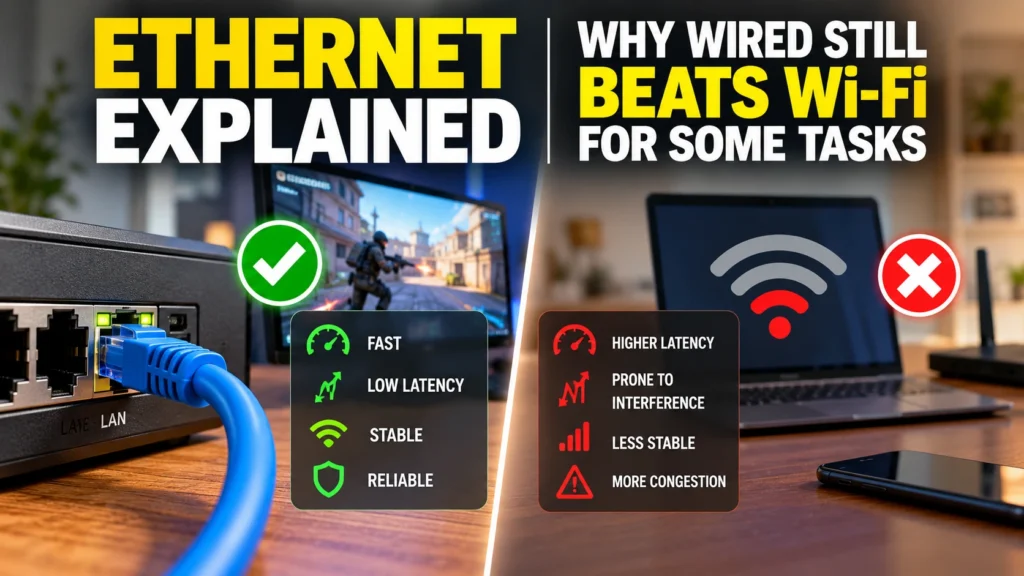
Why Ethernet remains more reliable and lower-latency than Wi-Fi, what different Ethernet speed standards actually mean, and when a wired connection matters.
Ethernet, the standard wired networking technology connecting devices directly to a router or network switch via a physical cable, has remained a genuinely more reliable, lower-latency, and more consistent networking option compared with Wi-Fi, even as Wi-Fi speeds and reliability have both improved substantially with successive wireless generations.
Why Wired Connections Remain More Reliable Than Wi-Fi
A physical Ethernet cable connection isn’t subject to the wireless interference, signal attenuation through walls and floors, and competing-device congestion that Wi-Fi connections inherently must contend with, meaning Ethernet generally delivers more consistent, predictable connection speed and considerably lower and more stable latency, advantages that remain genuinely relevant even as Wi-Fi 6, 6E, and 7 have all continued narrowing the practical gap between wired and wireless networking performance.
Why Latency Matters More Than Raw Speed for Some Uses
For specific use cases like competitive online gaming and video conferencing, connection latency, how quickly data actually travels back and forth, matters considerably more than raw maximum bandwidth, and Ethernet’s inherently lower and more consistent latency compared with Wi-Fi provides a genuine practical advantage for these latency-sensitive activities, even when a Wi-Fi connection’s raw available bandwidth would technically be more than sufficient for the task.
Understanding Ethernet Speed Standards
Ethernet connections come in several standardized speed tiers, including Gigabit Ethernet, offering 1 gigabit per second maximum speed and remaining the most common standard in typical home networking equipment, along with faster 2.5 gigabit, 5 gigabit, and 10 gigabit Ethernet standards increasingly appearing in newer routers and network equipment for users with internet connections or local network needs exceeding standard gigabit speeds, meaning checking a specific device and cable’s supported Ethernet speed standard matters for fully utilizing faster available internet connections.
Cable Category Matters for Achieving Full Speed
Beyond the Ethernet port speed a device supports, the physical Ethernet cable itself must also be rated to a sufficient category, such as Cat5e, Cat6, or Cat6a, to actually achieve higher Ethernet speeds, meaning using an older, lower-category cable can bottleneck actual achieved network speed even when both connected devices support considerably faster Ethernet standards, similar in concept to how HDMI cable ratings can bottleneck video connection capability.
When Choosing Ethernet Over Wi-Fi Makes the Most Sense
Ethernet remains the clearly preferable choice specifically for stationary devices like desktop computers, gaming consoles, smart TVs, and streaming boxes that don’t need to move around a home, and particularly for any latency-sensitive or bandwidth-intensive fixed-location use case, while Wi-Fi’s convenience remains the practical necessity for genuinely mobile devices like smartphones, tablets, and laptops that need to move freely throughout a home or office.
Bottom Line
Ethernet’s physical wired connection continues to offer more reliable, consistent, and lower-latency networking performance compared with Wi-Fi, advantages that remain genuinely relevant for latency-sensitive activities like gaming and stationary high-bandwidth devices even as Wi-Fi technology has continued to improve. Checking both a device’s supported Ethernet speed standard and using an appropriately rated cable category matters for fully realizing available network speed.
Sources
- IEEE Ethernet standard technical specification documentation
- Independent Ethernet versus Wi-Fi latency and reliability testing from major tech outlets
- Ethernet cable category (Cat5e, Cat6, Cat6a) speed rating documentation
- Gaming and video conferencing network latency technical analysis