A Guide on How to Use Claude Duet: The Waitlist, the Setup, and Everyday Use
Recently, Anthropic announced on its blog that it is releasing a research preview of Claude Duet, starting October 21, 2026. It says that Duet is different...
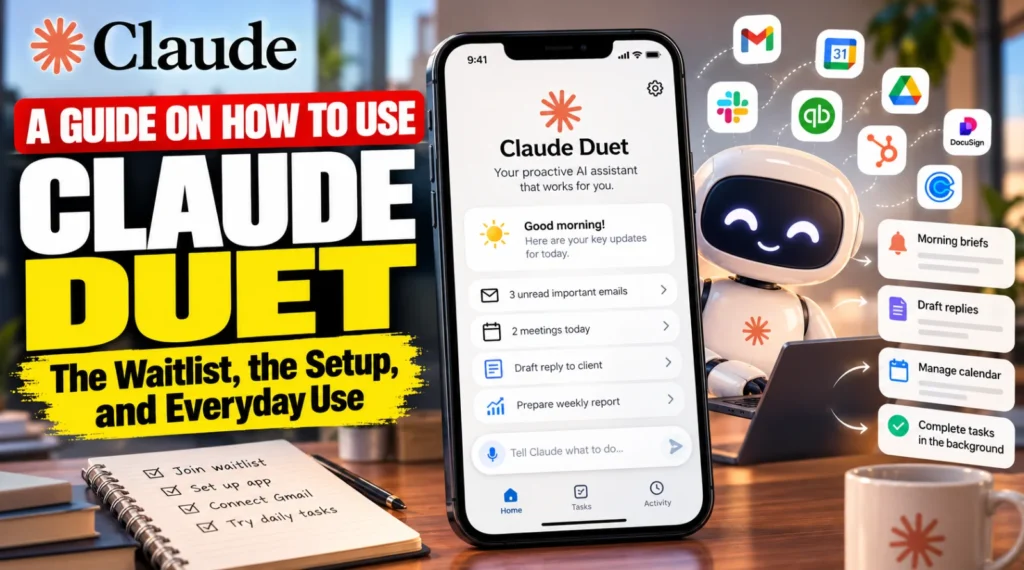
Recently, Anthropic announced on its blog that it is releasing a research preview of Claude Duet, starting October 21, 2026. It says that Duet is different from the Claude chat app, which most people are aware of and use daily.
Claude Duet doesn’t wait for you to open a chat. It comes to you directly. It checks your connected apps, sends morning briefs, drafts replies, and keeps working in the cloud even after you close the app. Anthropic seems to have realized that these are the things most people deal with on a daily basis, and it is simply trying to make them easier. Anthropic has also, in the same week, brought Claude Cowork and chat together for Enterprise customers.
This guide explains to a common person how to use Claude Duet, who can get access today, and what its limits are.
What Is Claude Duet?
Claude Duet is not the same as the Claude app you already use. It is a separate, standalone app where Claude works as a proactive agent. On Anthropic’s blog, it is described as a version of Claude that you message in the same manner as you would message a person, by typing or by using a voice message. It runs on Claude Opus 5.5, and it has its own computer in the cloud along with a browser. That means it is independent of your laptop or phone and keeps working even when they are switched off.
Anthropic has built it mainly for professionals and small business owners who have to manage more than one track in their work or business. Outlets like CNBC and MacRumors have covered the launch and framed Claude Duet as Anthropic’s answer to Meta’s Muse and OpenAI’s Dots.
Who Can Use Claude Duet Right Now?
Access to Claude Duet is limited during its research preview. You can request an invitation on the website, and you might end up getting one. To use Claude Duet, you will need the following:
A Claude Pro or Max plan
A Claude account in the United States
An invitation from the waitlist, which is being sent out in waves
Claude Duet is not available on Team or Enterprise plans as of yet, but Anthropic says it plans to bring it to those plans later. During the preview, Claude Duet is included in Pro and Max at no extra cost, but it shares your normal usage limits.
Readers should note that because the preview is for US users only, people in countries like India, the UK, or the European countries cannot get access to it yet. Anthropic has not announced other regions on the pages we checked, so it is better to keep watching the official product page for updates.
How to Join the Claude Duet Waitlist
If you go through the Help Center on Anthropic’s website, it lists these steps:
Open the Claude Duet product page and select the “Join the waitlist” option.
Enter your name and your email address. If you are already a Claude user, use the same email address as your Claude account.
Choose your Claude plan and your phone type, that is, whether your phone is an iPhone or an Android. You can also tell Anthropic what you would hand off to Duet first.
Select “Submit”. You will get an email when your turn comes.
When the invitation arrives, open the email on your phone and follow the iPhone or Android setup steps based on the kind of phone you have. Use the Apple or Google account that is linked to the email address you gave, because your access is tied to that address.
Open Claude Duet and sign in with your Claude account. It can take a few minutes after you accept the invitation for the app to become usable.
If you do not get in, the common cause is a mismatch between the email you used on the waitlist and the Claude, Apple, or Google account you signed in with. Make sure they are the same.
Where Can You Use Claude Duet?
You have to understand that the Claude app you use for chat and Claude Duet are separate. Claude Duet is a standalone app for iOS and Android, and you can also open it on a computer through claude.ai. As of now it lives separately from the main Claude app. Anthropic says what it learns from early users will shape how the two work together in the future.
Setting Up Claude Duet and Connecting Your Apps
Claude Duet runs on your Claude account, so the memory, skills, and connectors you have already set up in Claude are available to it from your very first message. Examples given by Anthropic include Gmail, Google Calendar, Google Drive, Slack, QuickBooks, HubSpot, Docusign, and Calendly. Claude Duet can also use plugins, such as the small business plugin, and it uses its own cloud browser for sites that have no connector.
Before we move further, there are a few things to know:
You start every connection yourself, and you can disconnect any app at any time.
Disconnecting an app stops new access, but whatever Duet has already learned from it stays until you reset its memory from the app’s settings.
A few connectors, such as Slack, work with limits, and as of now Microsoft 365 is not available.
How to Use Claude Duet Day to Day
Now we will discuss how Claude Duet will be useful to you in everyday work:
Read the morning brief. Each morning, Duet looks across your email and calendar and picks what most needs your attention. It can also start the first steps, such as drafting replies, and give them to you for review before anything is sent.
Message it like a person. You can type, or record a voice message, while your main thread remains in one place. You can also open separate channels for different topics, and they all share the same memory.
Hand it bigger jobs. Describe what you need, and Duet will decide which apps to use to get it done. Larger results, such as a research brief, a financial model, a slide deck, or a dashboard, come back as files and appear in the Make tab.
Track work in the Tasks tab. The Tasks tab shows what Duet is working on and highlights anything that needs your input. Duet may suggest that a task looks finished, but only you can mark it complete.
Approve what matters. Duet is designed to show you what it is about to do and wait for your approval before it sends a message, makes a payment, signs a document, or deletes anything. This is a safeguard, but it still works best when you read each request before approving it.
Example requests from Anthropic
“Clear out anything in my inbox that I don’t need to read.”
“Check Stripe for unpaid invoices and draft reminder emails for me to approve.”
“Pull together a brief on this company before my 2 pm meeting.”
These examples show you how to instruct Claude Duet: describe the outcome you want in plain words and let it work out the steps. Anthropic also lists payroll prep in Gusto, preparing agreements for Docusign, and drafting follow-ups using contact and deal history from HubSpot as things Duet can help with through marketplace connectors.
Paying for Things with Link and Shop Pay
Claude Duet can buy things for your business using Link by Stripe or Shop Pay. You connect them inside Duet, not in the normal connectors directory. For Link, all you have to do is select your avatar, choose the option to connect payments, pick Link, and sign in.
Every purchase needs your approval first, and the payment always uses a one-time card that works only for that purchase. Your real card number is not shared. Link requires a US payment method as of now, and Duet cannot make recurring payments with it.
What Claude Duet Can’t Do as of Now
Anthropic is open about the fact that this is an early product. The current limits include:
No model choice. It runs on Opus 5.5 and decides how much effort any job you give it needs.
You can’t watch or take over its browser.
It checks your accounts only every few hours, so if something urgent arrives, it can reach you only at the next check.
It can’t see files on your computer, and although it can read your work in Claude, it cannot change it.
No phone calls or texts to other people. With your approval, it can send emails from the accounts you have connected.
Some things are off-limits even with your approval, such as trading securities, moving money between accounts, and accessing someone else’s account.
Personal errands, such as booking tickets, are currently weaker than work tasks.
Anthropic has also warned that Duet can misread a thread or misjudge what is urgent. It is always advisable to review drafts and approval requests before you confirm them, and not to do anything just by trusting Claude blindly.
Usage Limits and the One-Time Reset
Just like Claude chat, Claude Duet uses your plan’s five-hour and weekly limits at the same rate. Background work, like the morning brief and check-ins, counts too, so you may hit your limits sooner than you do now, because that is extra work in the background. When you are admitted to the preview, you get one full limit reset for both limits, which is available until November 30, 2026.
Is Claude Duet Safe?
This is the most important question a user may ask. Anthropic says that Duet never sees your passwords, browser cookies, or sign-in tokens. When a site asks for a password, you type it into a separate form in the app, and it goes straight to the cloud browser. A separate classifier checks each outgoing message: the most sensitive information, such as credentials, full card numbers, and government ID numbers, is never shared with anyone, and other private details, like health or finances, need your consent to be shared.
However, Anthropic does warn that no defense is perfect, which is why consequential actions need your approval. Also realize that if anyone outside the Claude app asks for your Duet password, it is not a legitimate request, and you should stay away from it.
Should You Join the Waitlist?
Join if you are a US-based Pro or Max user with a busy inbox, calendar, or small business, and you are comfortable approving actions before they happen. If you only want chat, the main Claude app already covers that. Everyone else can join the waitlist and watch for regional expansion.