Microsoft Surface Pro: The Tablet That Insists It’s a Real PC
How the Surface Pro's full Windows compatibility differentiates it from iPad and Android tablets, and what genuine trade-offs that 2-in-1 approach involves.
The Microsoft Surface Pro continues distinguishing itself within the broader premium tablet market through its foundational commitment to running full Windows, giving it genuine desktop-class software compatibility that neither Apple’s iPadOS-based iPad Pro nor Android-based tablets can fully match, at the cost of some of the more tablet-optimized touch experience refinement those competing platforms offer.
Full Windows Compatibility as the Surface Pro's Core Differentiator
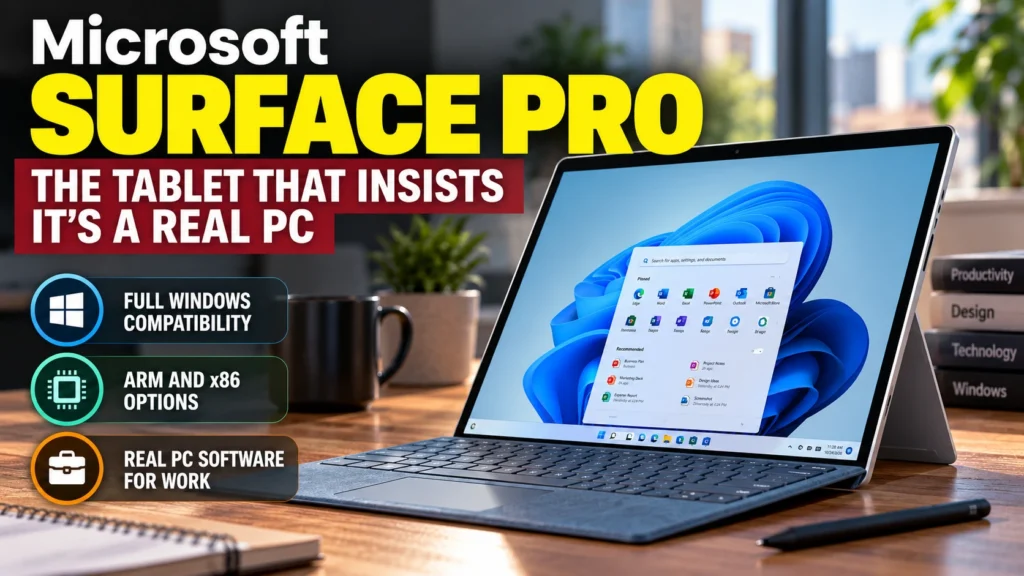
Unlike the iPad Pro’s iPadOS or Android tablets’ mobile-oriented operating systems, the Surface Pro runs the genuinely complete Windows operating system, meaning it can run traditional desktop Windows software, including professional applications with no tablet-optimized equivalent, a genuine practical advantage specifically for buyers whose work depends on specific Windows-only professional software that isn’t available as an iPad or Android app.
The Ongoing ARM and x86 Chip Choice Trade-off
Microsoft has continued offering the Surface Pro in both ARM-based configurations, offering improved battery life and a more tablet-like efficiency profile, and traditional x86 configurations, offering broader immediate software compatibility with older Windows applications not yet optimized for ARM, a choice that requires buyers to specifically weigh their own software compatibility needs against the genuine efficiency benefits ARM-based Windows configurations increasingly offer.
Kickstand and Keyboard Design Philosophy
The Surface Pro’s distinctive built-in kickstand and detachable keyboard cover design, rather than a keyboard case Apple sells as a separate accessory, has remained a signature Surface design element since the line’s original introduction, offering flexible use as a standalone tablet, a laptop-like typing setup, or a more angled drawing and note-taking configuration, a genuinely flexible form factor approach that’s influenced how other 2-in-1 Windows devices have subsequently been designed.
Where Touch Experience Still Trails iPad and Android Tablets
Despite Windows’ genuine desktop software compatibility advantage, independent reviews have consistently noted that Windows’ touch interface experience, even after years of Microsoft refinement specifically for tablet use, still generally trails the more purpose-built, touch-first interface polish that iPadOS and Android tablet interfaces offer, meaning the Surface Pro’s tablet mode experience, while genuinely functional, doesn’t quite match the seamless touch-first feel of dedicated tablet operating systems.
Who the Surface Pro Genuinely Makes the Most Sense For
The Surface Pro remains most compellingly suited to buyers who specifically need genuine Windows desktop software compatibility in a tablet form factor, professionals with Windows-specific software requirements, and buyers who want one single device flexibly covering both traditional laptop-style productivity and tablet-style portability, rather than buyers primarily seeking the most refined, touch-first tablet experience available.
Bottom Line
The Microsoft Surface Pro continues distinguishing itself through genuine full Windows desktop software compatibility that neither the iPad Pro nor Android tablets can fully match, backed by its flexible kickstand and detachable keyboard design. Its touch interface experience still generally trails more purpose-built tablet operating systems, making it best suited specifically to buyers whose work genuinely depends on Windows software compatibility in a tablet form factor.
Sources
- Microsoft official Surface Pro product specifications and feature documentation
- Independent Surface Pro ARM versus x86 performance and compatibility testing
- Comparative Surface Pro versus iPad Pro touch interface experience analysis
- Windows on ARM software compatibility technical documentation