TORX Fan, IceStorm, Axial-tech, WINDFORCE: GPU Cooling Brand Names Decoded
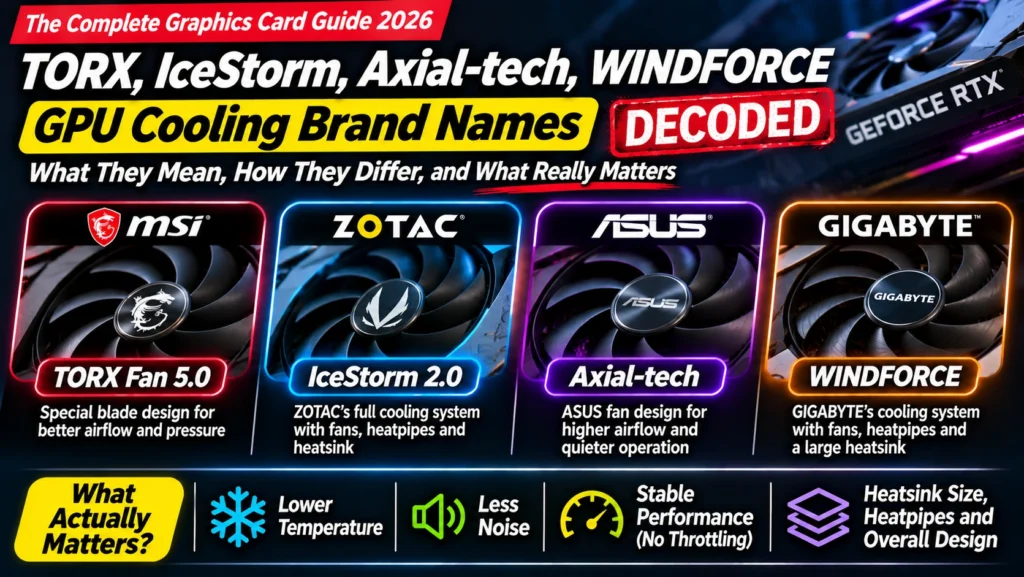
What is a TORX fan? IceStorm? Axial-tech? WINDFORCE? GPU cooling brand names from MSI, Zotac, ASUS and Gigabyte decoded in plain words, and what really matters.
📘 Part of The Complete Graphics Card Guide 2026. New here? Start with the guide.
Disclosure: This article contains Amazon affiliate links. If you buy through them, we may earn a small commission at no extra cost to you.
“TORX Fan 5.0.” “IceStorm 2.0 Cooling.” “Axial-tech fans.” “WINDFORCE.” Graphics card listings are full of names that sound impressive but explain nothing. What is a TORX fan, and is it better than an Axial-tech fan? This guide decodes each brand’s cooling names in plain words, then tells you what actually matters when you compare cards.
Why brands invent these names
Every graphics card brand designs its own cooler: the fans, heatsink and heatpipes that keep the chip cool. To make their designs stand out, they give them catchy names and version numbers. Some names describe a specific fan shape; others are just the brand’s name for its whole cooling system.
Most of these designs involve real engineering. But the names themselves can’t tell you which card runs cooler or quieter. Only independent tests can. Keep that in mind as we go through them.
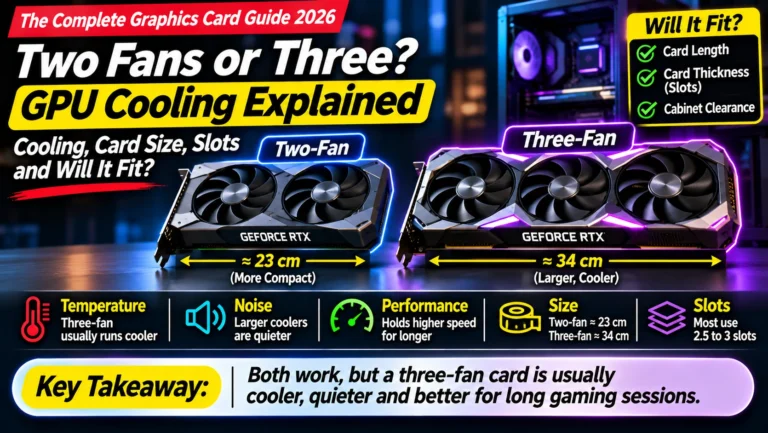
👉 How coolers work: Article 16: Two Fans or Three? GPU Cooling and Card Size
MSI: TORX fan, STORMFORCE and TRI FROZR
TORX Fan 5.0
TORX is MSI’s name for its fan blade design, and 5.0 is the fifth version, used on MSI’s RTX 50 series cards. Its blades are linked in groups by curved rings, which MSI says directs air into the heatsink more effectively. MSI claims TORX Fan 5.0 delivers about 23% more airflow than a standard fan and about 10% more than TORX Fan 4.0 (MSI).
In plain words: a carefully shaped fan blade. It appears on cards from the basic Shadow and Ventus up to premium models, so it doesn’t tell you how big the rest of the cooler is.
STORMFORCE
STORMFORCE is a newer MSI fan design: a seven-blade fan with textured “claw” blade edges and a circular arc, which MSI says is tuned for airflow with low noise (MSI). You’ll see it on some newer MSI listings, such as certain Gaming Trio versions.
TRI FROZR 4
TRI FROZR is MSI’s name for its whole three-fan cooling system (fans, heatsink, heatpipes and airflow design) on its better cards like the Gaming Trio. “4” is the version. MSI describes it as upgraded fans and airflow control for cooler, quieter running, but gives no hard numbers.
In plain words: “this is MSI’s full premium three-fan cooler.” A good sign you’re looking at a better-than-basic card.
Zero Frozr
Zero Frozr is MSI’s fan-stop feature: the fans stop completely when the card is cool and idle, and start again when you game. MSI says it introduced the idea back in 2008, and it’s now standard across the industry.
Zotac
IceStorm 2.0 / IceStorm 3.0
IceStorm is Zotac’s name for its cooling system as a whole: the fans, heatsink and heatpipes. The number is the version. Zotac uses it on its AMP and other models.
In plain words: “Zotac’s cooler.” The name doesn’t tell you its size; check the number of fans and the card’s dimensions instead.
FREEZE Fan Stop
Zotac’s fan-stop feature. The fans switch off when the card is idle, which Zotac says also reduces wear on the fans. It’s on by default on supported models and can be turned off in Zotac’s FireStorm software (Zotac FAQ).
Spectra
Zotac’s name for its RGB lighting. Looks only; no effect on cooling.
ASUS
Axial-tech fans
Axial-tech is ASUS’s fan design, used on its Prime, TUF and ROG cards. ASUS says the fans use dual ball bearings (which typically last longer) and push up to 23% more air than standard fans; some newer TUF listings claim up to 31% (ASUS). Reviewers have found them effective: one test that replaced the fans on an ASUS TUF RTX 5070 Ti with third-party fans couldn’t match the original cooling (HWCooling).
MaxContact
MaxContact is an ASUS manufacturing process for the metal plate that touches the GPU chip. ASUS says it makes the contact surface about 5% larger and improves temperatures by up to 2 °C (ASUS). A small but real refinement.
0dB technology
ASUS’s fan-stop feature: the fans stop when the card is cool and idle.
Dual BIOS
Not a cooling part as such, but very useful: a small switch on many ASUS TUF and ROG cards that chooses between a performance mode and a quiet mode. On the ASUS TUF RTX 5070, TechPowerUp measured just 22.8 dBA in quiet mode, close to silent (our comparison).
Gigabyte
WINDFORCE
WINDFORCE is Gigabyte’s name for its cooling system, and also the name of its most basic card line (for example “RTX 5070 Windforce”). You’ll see “WINDFORCE 2X” or “3X” for two or three fans.
Alternate spinning
On Gigabyte’s multi-fan coolers, neighbouring fans spin in opposite directions. Gigabyte says this makes the air between fans flow the same way, reducing turbulence and increasing airflow pressure through the heatsink (Gigabyte).
3D Active Fan
Gigabyte’s fan-stop feature: the fans stay off when the card is idle or under light load.
Hawk fans
Gigabyte’s name for the fan blade design on some of its newer cards. Like TORX and Axial-tech, it’s a blade shape, not a measure of the whole cooler.
Other brands you’ll see
- Sapphire (AMD cards): “Pulse” and “Nitro+” are card lines; Nitro+ has its premium cooler.
- PowerColor (AMD cards): “Reaper”, “Hellhound” and “Red Devil” are card lines, from basic to premium.
- Inno3D, PNY, Galax, Palit: various names for their NVIDIA coolers and lines (for example Inno3D’s “X3” for three fans).
Our Best RX 9070 XT Cards comparison covers the AMD brands’ coolers with test results.
The decoder: what each name really means
| Name on the listing | Brand | What it actually is |
|---|---|---|
| TORX Fan 5.0 | MSI | Fan blade design |
| STORMFORCE | MSI | Newer fan blade design |
| TRI FROZR 4 | MSI | Full premium three-fan cooling system |
| Zero Frozr | MSI | Fans stop when idle |
| IceStorm 2.0 / 3.0 | Zotac | Cooling system (name only) |
| FREEZE Fan Stop | Zotac | Fans stop when idle |
| Spectra | Zotac | RGB lighting |
| Axial-tech | ASUS | Fan design |
| MaxContact | ASUS | Better chip-to-cooler contact |
| 0dB technology | ASUS | Fans stop when idle |
| Dual BIOS | ASUS (and others) | Quiet / performance switch |
| WINDFORCE 2X / 3X | Gigabyte | Cooling system (and basic card line) |
| Alternate spinning | Gigabyte | Neighbouring fans spin opposite ways |
| 3D Active Fan | Gigabyte | Fans stop when idle |
Notice that every brand has a fan-stop feature with a different name. They all do the same thing.
Beyond the TORX fan name: what actually matters when you compare coolers
Since the names can’t tell you which card is cooler or quieter, look at these instead:
- Size of the cooler: length, thickness (slots) and number of fans. Bigger usually means cooler and quieter.
- The card’s tier: a premium version (TUF, Gaming Trio, AMP, Gaming OC) usually has a bigger cooler than a basic one, even with the same fan name.
- Independent tests: temperature and noise (dBA) from reviewers like TechPowerUp or TechSpot. These are the only reliable way to compare.
- Useful extras: a dual BIOS quiet mode, a metal backplate, a support bracket.
- Brand claims like “23% more airflow” compare against the brand’s own or a generic fan, not against rival brands, so they can’t settle which card is better.
Quick summary
- TORX, Axial-tech, STORMFORCE and Hawk are fan blade designs.
- TRI FROZR, IceStorm and WINDFORCE are brands’ names for their whole cooling systems.
- Zero Frozr, FREEZE, 0dB and 3D Active Fan are all the same thing: fans that stop when idle.
- The names don’t tell you which card is cooler or quieter. Compare cooler size, tier and independent tests.
- A dual BIOS quiet mode is one of the most useful real features.
What to look for on Amazon: checklist
- ☐ You’ve ignored the fan name and checked the number of fans and card size
- ☐ You know whether the card is the brand’s basic, mid or premium version
- ☐ You’ve found independent temperature and noise tests for that version
- ☐ It has a fan-stop feature (almost all do) for silence at idle
- ☐ A dual BIOS quiet mode if silence matters to you
Compare coolers
- ASUS Axial-tech, dual BIOS: ASUS TUF RTX 5070 OC
- MSI TRI FROZR: MSI RTX 5070 Gaming Trio OC
- Zotac IceStorm: Zotac RTX 5070 AMP White
- All versions: RTX 5070 on Amazon
Bottom Line
A TORX fan is MSI’s fan blade design; IceStorm is Zotac’s name for its cooler; Axial-tech is ASUS’s fan design; WINDFORCE is Gigabyte’s cooling system. They’re real engineering wrapped in marketing names, and none of them tells you on its own which card runs cooler or quieter. Compare the size of the cooler, the card’s tier and independent test results, and treat the fan names as a bonus, not a reason to buy.
Sources
- MSI: RTX 5070 Ti listing (TORX Fan 5.0, STORMFORCE)
- Zotac FAQ: enabling and disabling fan stop
- ASUS: TUF Gaming RTX 5080 (Axial-tech, MaxContact)
- HWCooling: ASUS TUF RTX 5070 Ti deshroud test
- Gigabyte: WINDFORCE 3X cooling system
- Top Tech Compare: Best RTX 5070 Ti and 5070 Cards
Where next?
⬅️ Back to The Complete Graphics Card Guide 2026: see all 20 articles
➡️ Next: Article 18: PCIe 5.0 vs 4.0 vs 3.0
🔗 Related: – Article 16: Two Fans or Three? GPU Cooling and Card Size – Article 11: How to Read GPU Names – Best RX 9070 XT Cards